How to Connect a Custom Domain to Your Blog (From Any Registrar)
Connect a domain you already own to your VeloCMS blog in one screen. Add the DNS records we show you, and SSL plus CDN routing happen automatically.
There's a moment, usually a few weeks into blogging, when the training wheels start to chafe. Your posts are good. People are reading them. And then someone asks for your website and you hear yourself spelling out a subdomain — your-name-dot-something-dot-org — and it lands with all the authority of a school project. A domain of your own is one of those small purchases that changes how seriously everyone takes the work, including you.
The good news is that the scary part of connecting one — the DNS records, the SSL certificates, the acronyms that read like radio static — has mostly been automated away. On VeloCMS, the whole process is one screen and a short visit to wherever you bought the domain. Here's the entire walkthrough, plus what's actually happening under the hood, so nothing about it feels like a magic trick you're afraid to touch.
Why does a custom domain matter for a blog?
Three reasons, in ascending order of importance. First, memorability: "myblog.com" survives being said out loud at a dinner table; a subdomain usually doesn't. Second, ownership: your domain is an asset you control, independent of any platform, and every link anyone ever shares accrues to something that's yours. Third — and this is the one people underrate — search engines treat your domain as the container for all of your reputation. Reviews, backlinks, mentions, years of posts: all of it compounds against one name. Starting that compounding early is one of the cheapest SEO decisions you'll ever make.
None of this means you need a domain on day one. Your blog is live on its velocms.org subdomain the moment you sign up, and that address keeps working even after you connect your own. But the earlier you make the switch, the less link equity you leave scattered behind you.
What do you need before you start?
Two things. A VeloCMS blog on any paid plan, and a domain you own — from literally any registrar. Namecheap, GoDaddy, Cloudflare, Porkbun, Google-Domains-refugee registrars, the one your uncle recommended in 2011: all fine. You don't transfer the domain to us, you don't change nameservers, and you don't need a hosting add-on. The domain stays exactly where it is; you'll just add a couple of DNS records to point it at your blog.
Both root domains (myblog.com) and subdomains (blog.mystudio.com) work, which matters if your main site lives elsewhere and you only want the blog on a subdomain.
How do you connect the domain in VeloCMS?
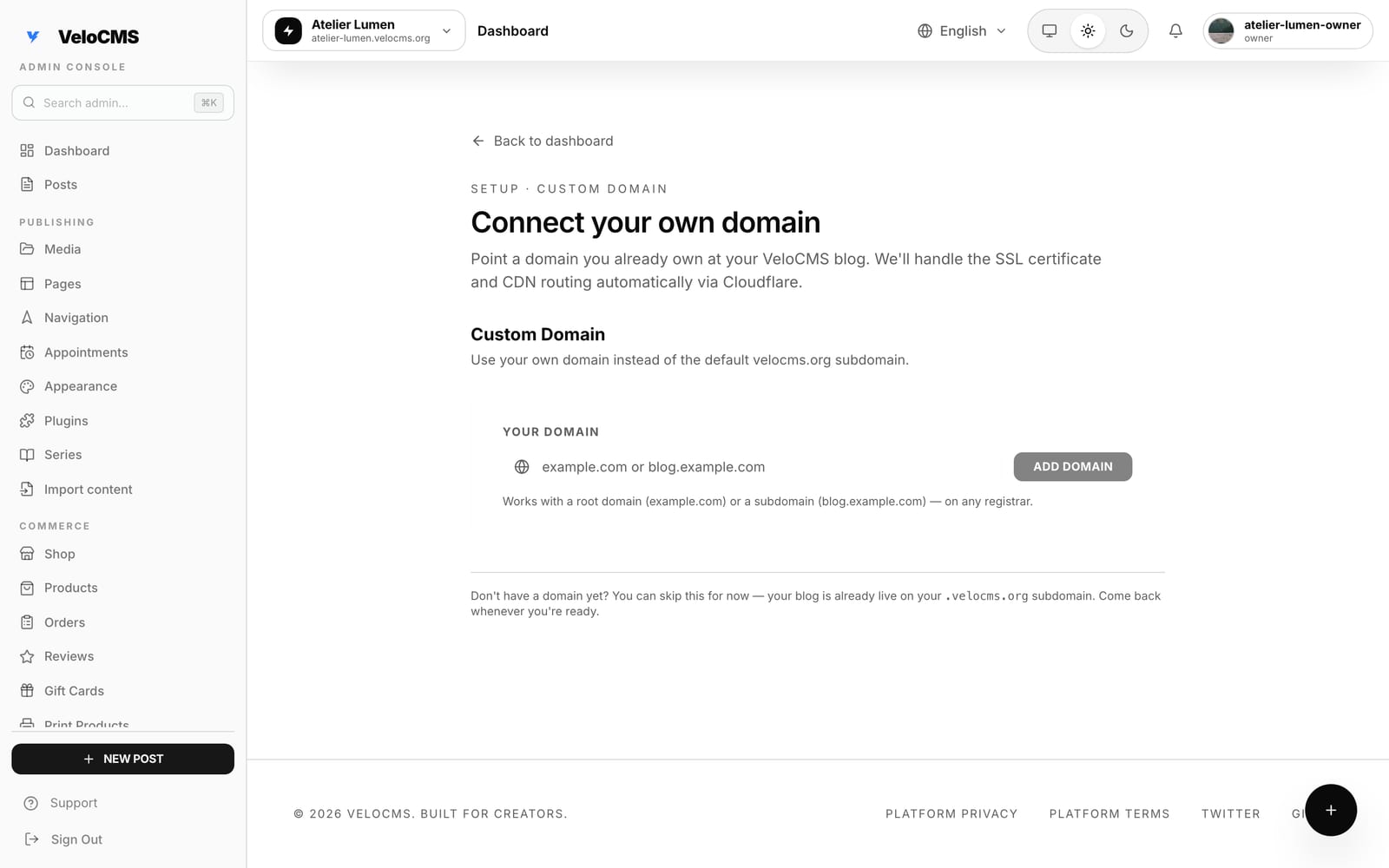
From your admin dashboard, head to the custom domain setup screen. It looks like this — one field, one button, and a note reminding you the subdomain keeps working if you'd rather do this later:
Type the domain exactly as you want visitors to reach it — root or subdomain — and click Add Domain:
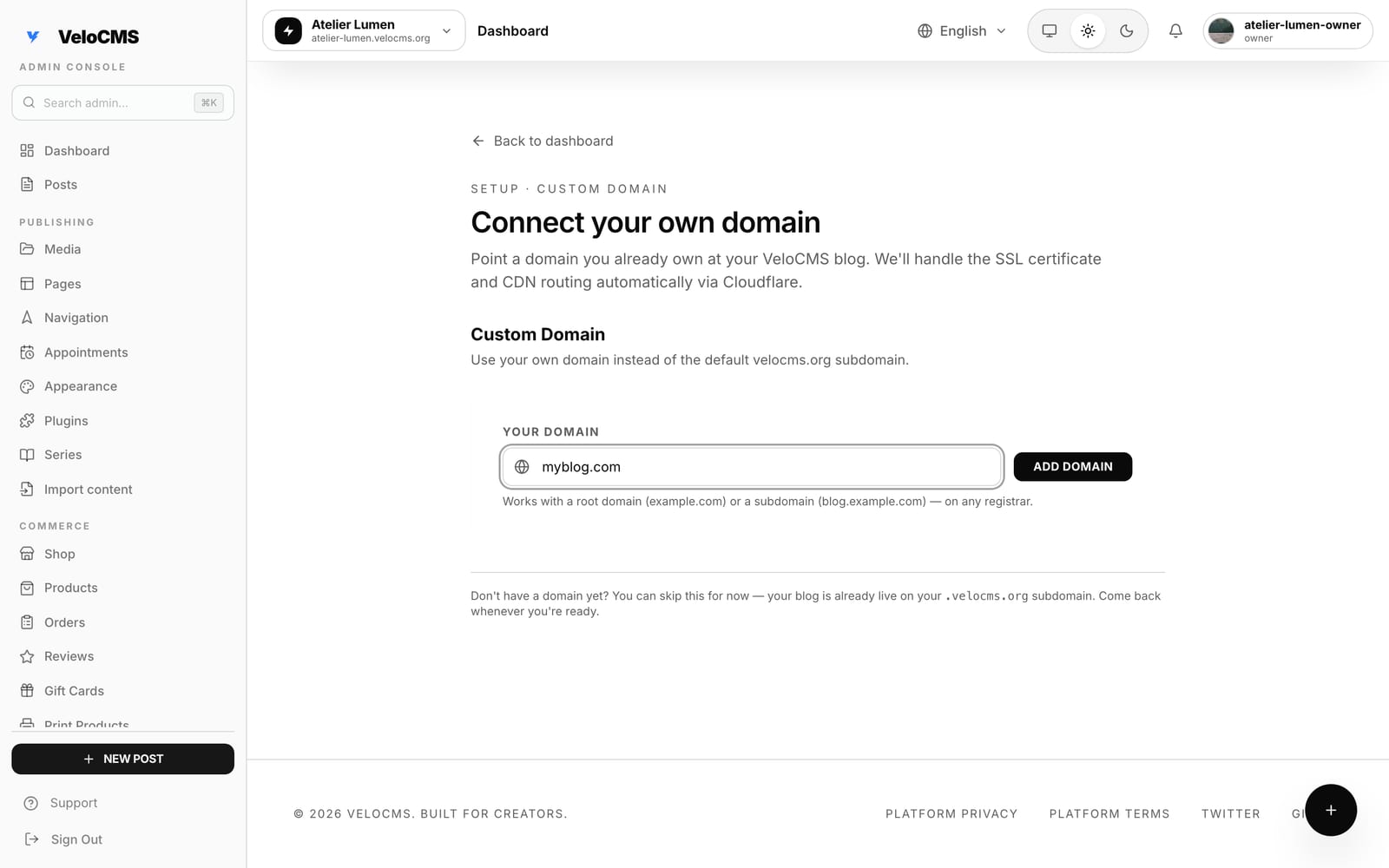
That's the entire VeloCMS side of the job. The moment you add the domain, the platform provisions it through Cloudflare behind the scenes and shows you the exact DNS records to create at your registrar — copy-paste values, no guesswork.
What DNS records do you add at your registrar?
This is the part with the reputation, so let's demystify it. DNS records are just address-book entries: they tell the internet which server answers for your name. VeloCMS shows you precisely which entries to add for your specific domain, and they fall into two familiar shapes. A root domain gets a record pointing it at our edge; a subdomain gets a CNAME doing the same. There's also a small TXT record that proves to the certificate authority that you actually control the domain, which is what lets the SSL certificate get issued for you automatically.
You add those records in your registrar's DNS panel — usually under a tab literally called "DNS" — and then you wait. Propagation typically takes a few minutes, occasionally a few hours if your registrar is slow to publish. VeloCMS keeps checking in the background and flips your domain to verified the moment the records are visible. HTTPS comes with it; there is no certificate to buy, renew, or think about ever again.
While you wait, nothing breaks. Your velocms.org subdomain keeps serving your blog the whole time, so readers mid-scroll never notice the plumbing being connected beneath them.
What about the links people already shared?
They keep working. The subdomain doesn't die when your custom domain goes live — both addresses resolve to your blog, so old bookmarks, old newsletter links, and that one post that did numbers on X all still land where they should. Going forward, your custom domain is the address on your site's canonical tags and the one you should put on everything, but the transition costs you nothing you've already earned.
One quiet detail worth knowing: because the certificate and routing run through Cloudflare's network, your blog also picks up CDN-grade delivery on your own domain — the same edge delivery of pre-rendered pages VeloCMS is built around, now under your name.
The whole thing — buying a domain excluded — takes maybe ten minutes, most of which is your registrar's dashboard loading. If your blog is still wearing its subdomain, start a 14-day free trial or open your dashboard, and give the work a name that's actually yours.