How to Sell Products on Your Blog Without Installing Shopify
VeloCMS lets you sell products on your blog without bolting on a separate storefront. Flip on commerce, and your theme renders its own cart and checkout.
Somewhere around your two-hundredth post, a strange thought creeps in. You've got readers now — real ones, people who show up, who reply to your newsletter, who send you a DM saying one specific paragraph changed how they think about something. And somewhere inside that audience is a handful of people who would, if you let them, just buy the thing you keep talking about. A print. A notebook. A digital template you built for yourself and never bothered to package up.
The instinct, for most of us, is to reach for Shopify. It's the obvious answer, the one every "how to sell online" guide points you toward. But bolting a full e-commerce platform onto a blog you already built somewhere else is its own project — a new subdomain, a second design system to maintain, an embed widget that looks like it got airlifted in from a completely different website, because, well, it did. You end up paying a monthly platform fee for a store that doesn't match your blog, plus a cut on every sale, plus the quiet tax of switching between two admin panels every time you want to change a price.
There's a simpler version of this. What if the shop wasn't bolted on at all — what if it just lived there, using the same theme, the same nav, the same voice, because it's the same site?
Why does bolting Shopify onto a blog you already built feel like duct tape?
Because it is duct tape. Most "add a store to your blog" tutorials walk you through embedding a Shopify Buy Button, or an iframe, or a widget script — and every one of those approaches has the same tell. The typography doesn't match. The button radius is off by a few pixels from everything else on the page. The colors were picked for a generic storefront template, not for the specific, deliberate aesthetic you spent a weekend tuning. Readers notice, even if they can't say exactly why. A mismatched shop reads as an ad, not a product you're proud of.
The deeper issue is architectural. Shopify (and most standalone store builders) are designed to be the entire website. Your blog is an afterthought bolted onto their system, not the other way around. So when you already have the blog — the content, the SEO, the years of archive — and you just want to add selling on top, you're forcing two products that were never meant to share a roof to somehow cohabit. One of them always loses the design argument, and it's never the store.
What does a store built into your own theme actually look like?
VeloCMS takes the opposite approach: the shop isn't a separate app you embed, it's a rendering surface your theme already owns. Under the hood, the platform hands your active theme a plain, structured feed of your products, prices, and cart state — what we call the raw-data shop contract — and the theme decides how to actually draw it. That's the whole trick. Nobody hand-designed all 39 individual storefronts (as of September 2026) by copying one another; every theme's designer just extended the visual language they'd already built for posts and pages into commerce, using the same data every other theme gets.
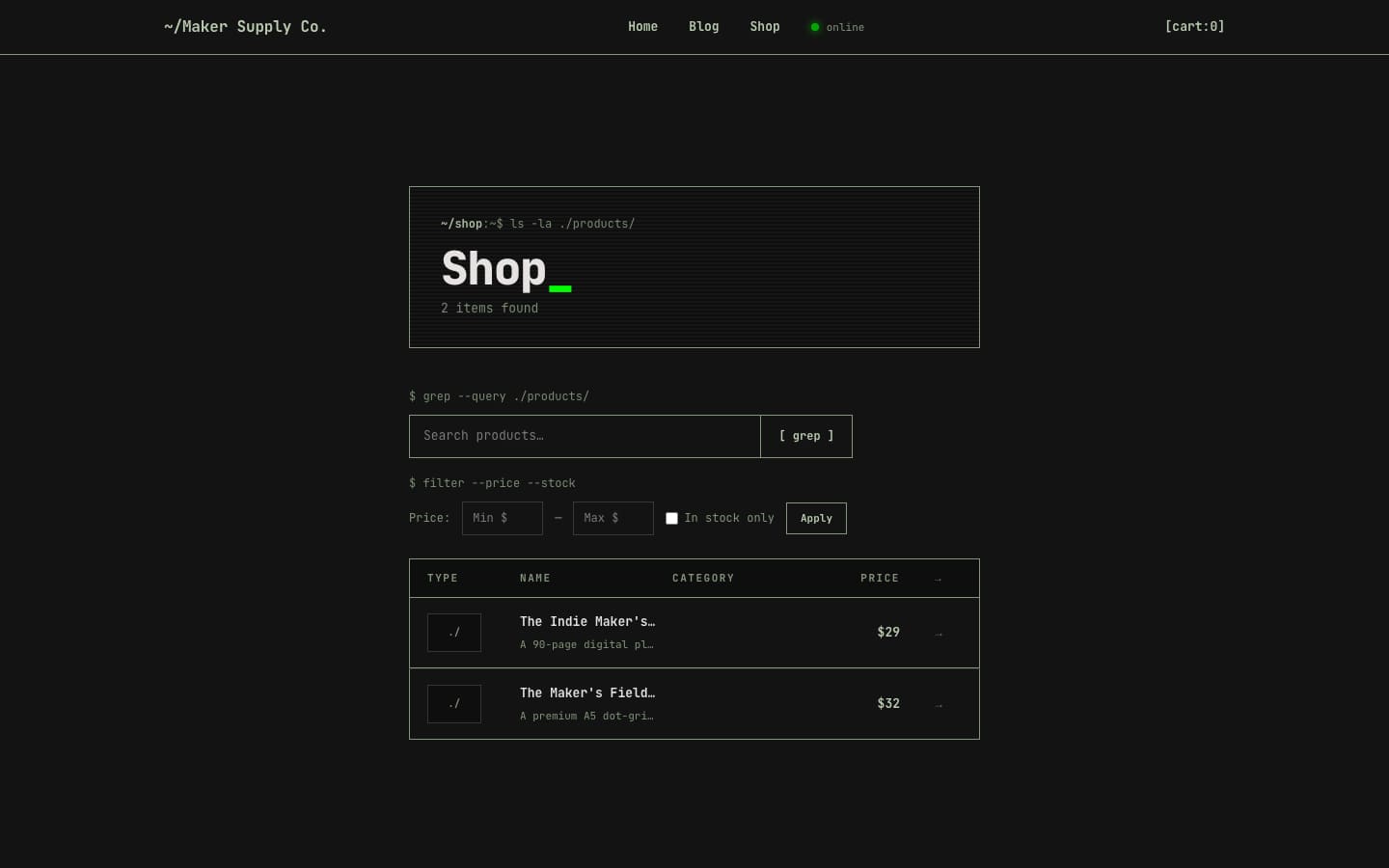
You can see the difference immediately when you put two themes side by side. Here's Maker Supply Co., running the Terminal theme — dark background, monospace type, a shop rendered like a command-line directory listing, right down to the "grep --query" search field:
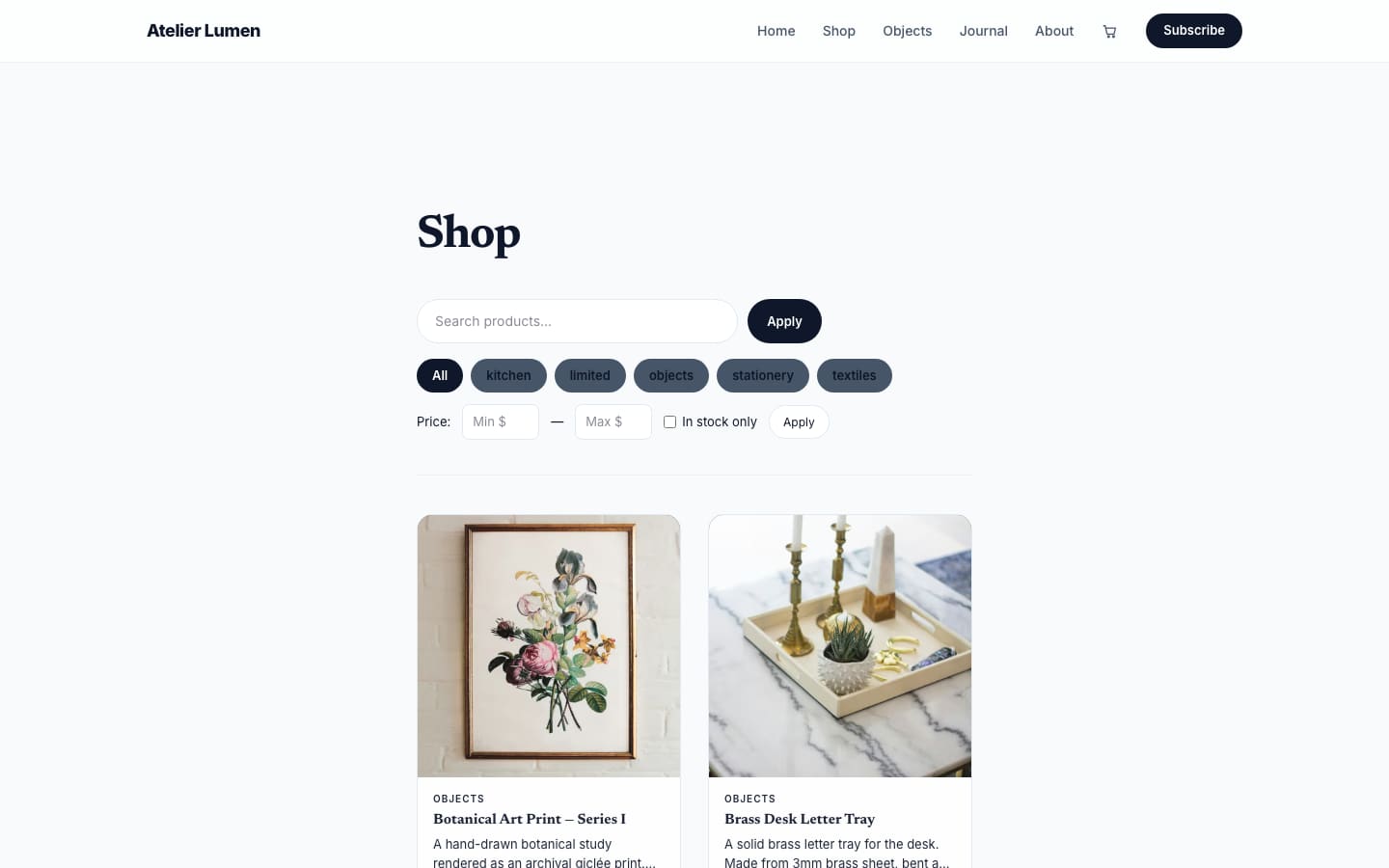
And here's Atelier Lumen, running the Atelier theme on the exact same underlying commerce engine — light background, a large serif "Shop" headline, soft category pills, product cards with generous whitespace:
Same product grid, same filters, same cart. Neither one looks like a plugin. Neither one looks like the other.
How do you actually start selling products on your blog?
There's no separate onboarding flow to learn. From your VeloCMS admin, you flip commerce on for the tenant, and a Shop link appears in your nav automatically — themes pick it up without you touching a template file. From there you add your first product, choosing digital (a PDF, a Notion template, a video course you deliver instantly on purchase) or physical (something that needs a shipping address and, eventually, a tracking number). Pricing, a description, and a cover image are all you need to get a product live.
The part that actually matters for your margin comes next: connecting a payment processor. VeloCMS is BYOK here — bring your own keys — so you link your own Stripe or PayPal account directly, and money from a sale lands in your account, not ours, with 0% platform commission taken off the top. No revenue share, no waiting period, no third party sitting between you and your buyer's card. If you'd rather not build a full catalog yet, gift cards are built in too, which turns out to be a surprisingly good way to test whether your audience is willing to spend money on you at all before you commit to inventory.
Does every one of VeloCMS's 39 themes (as of September 2026) really look different?
It's worth pushing on this claim, because "every theme is unique" is the kind of thing marketing copy says about everything. Here's Chloe Noir, running the Velvet Editorial theme — a warm, cream-and-blush fashion-magazine aesthetic, italic serif headline, product cards that look like they belong in a print catalog rather than a checkout flow:
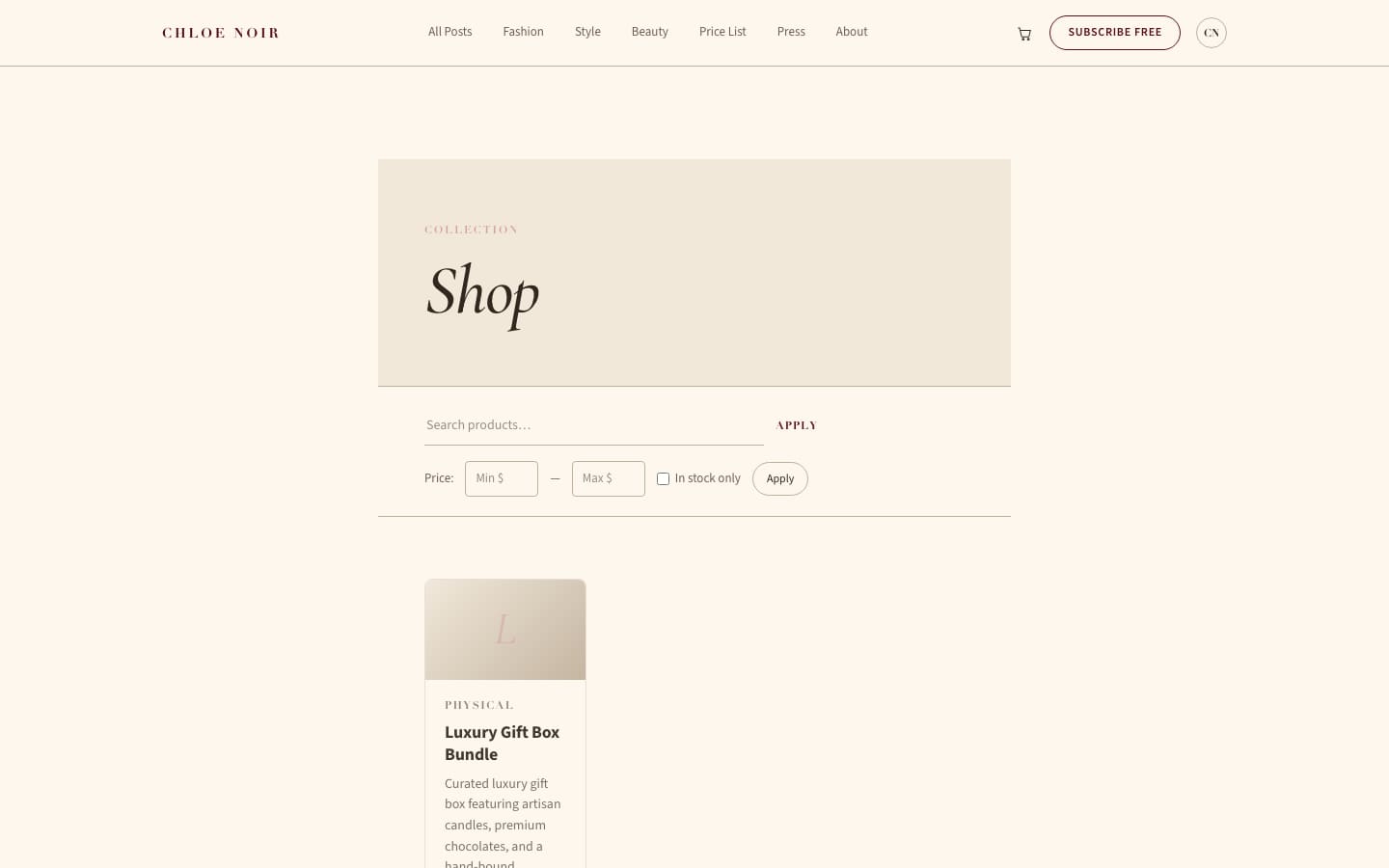
Put this next to the Terminal and Atelier screenshots above and you're looking at three completely different visual systems rendering identical underlying data: same product titles, same prices, same cart logic. That's the raw-data shop contract doing its job — the theme decides the shape, not the commerce engine.
What happens when a reader actually wants to buy something?
For a digital product, checkout is fast: the reader pays through your connected Stripe or PayPal, and delivery happens instantly — a download link, an access grant, whatever you configured. For a physical product, you collect a shipping address at checkout the same way, and fulfillment is on you, exactly like it would be anywhere else. The cart itself lives quietly in the corner of your theme's nav, the same one your readers already recognize, so buying something never feels like leaving your site.
If you'd rather watch this than read about it, here's a short walkthrough across a handful of VeloCMS's 39 themes (as of September 2026), shop pages included:
Read the full transcript
Picking a look for your blog shouldn't take a weekend. VeloCMS ships with thirty-eight themes, and every one is fully responsive and ready to go. In the next few minutes I'll tour the marketplace, filter down to the right vibe, preview a few, and install one — live.
It all lives under Themes, then Browse. Here's the full grid — thirty-eight of them, from clean editorial layouts to bold, magazine-style spreads. Scroll through and you'll notice they're real designs with their own fonts and spacing, not the same template wearing different colors.
Thirty-eight is a lot, so narrow it down. The category filters up top sort by what you're building — Blog, Portfolio, Developer, Agency, Creator. I shoot photos, so Portfolio is where I'll look, and the grid instantly trims to the ones built to show images off.
Never install a look blind. Open a theme's preview and you get the real thing — the homepage, a blog post, the whole layout — filled with sample content so you can actually judge it. Flip through two or three, and one usually just clicks.
Worth calling out — some of the newer themes are genuinely cinematic, with motion and scroll effects baked in, and they still load fast. These are the kind of designs you'd normally pay a developer for, sitting right here in the same one-click marketplace.
Found the one? Install and activate — a single click — and it's live on your blog immediately. And nothing's locked in: you can swap themes anytime, and tweak fonts and colors in the design panel until it feels like yours. No rebuild, no losing your posts.
Thirty-eight themes, one-click install, swap whenever you like. Find your look on the free trial at velocms dot org.
None of this requires you to abandon the blog you've spent years building, or to learn a second platform's admin panel, or to hand a chunk of every sale to a company that's never read a word you've written. The shop is just another part of the site your readers already trust. If you want to see it on your own blog, start a 14-day free trial and turn commerce on from the dashboard — the theme you're already using will handle the rest.