How do I migrate from WordPress to a headless CMS without losing SEO?
Mirror your existing URL structure, deploy 301 redirects for paths that must change, and your rankings come along for the ride.
To migrate from WordPress to a headless setup without losing your hard-earned SEO, you must mirror your existing URL structure exactly and deploy permanent 301 redirects for any paths that have to change. Transplanting your content alongside its original metadata into a faster architecture signals to search engines that your site simply got an upgrade, keeping your rankings perfectly safe.
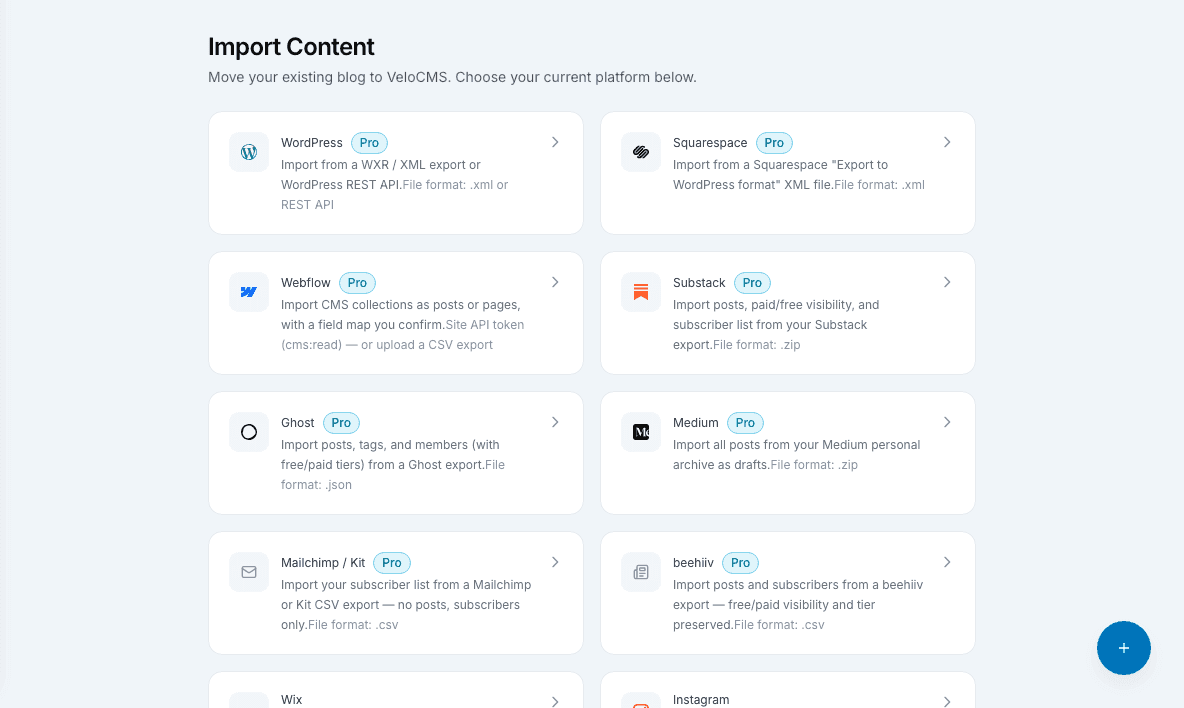
Why do rankings usually drop when moving away from WordPress?
A lot of folks panic when they switch platforms because they've heard horror stories about organic traffic falling off a cliff. The truth is, Google hates confusion. When you rip out the old WordPress engine and drop in a shiny new headless CMS, the crawler bots come back to find a totally different house. If they click a previously high-ranking link and get slapped with a 404 error, they drop you like a bad habit. Rankings don't vanish because you changed your tech stack. They vanish because the roadmap got scrambled. Since VeloCMS relies on a blazingly fast Next.js frontend, the search bots actually love the speed boost, provided you don't break the links they already know.
How do I map my old content to the new architecture?
Before you even think about shutting down your old hosting account, you need a master blueprint of your current site. Think of it as taking an exact inventory before moving across the country. Grab a tool like Screaming Frog (or even just an export from Google Search Console) and download a massive spreadsheet of every single live URL on your WordPress site. Your goal is to recreate these exact slugs inside VeloCMS. If your top-performing post lives at /blog/best-running-shoes, make absolutely sure your new Next.js routing matches that path letter for letter. Doing this prevents you from having to redirect the bulk of your traffic. Search engines crawl the exact same address, but now they get served by PocketBase in milliseconds instead of waiting for a clunky PHP database to wake up.
What is the safest way to handle unavoidable redirects?
Sometimes matching every single URL just isn't going to happen. Maybe your old site had weird dates stuffed into the links and you finally want to clean them up. This is where 301 redirects become your absolute best friend. A 301 simply tells the internet that a page has moved permanently to a new home, passing all that precious link juice along with it. Here is a highly specific tip you should steal: export your old WordPress database and write a quick script to generate a comma-separated text file of your old URLs right next to their new VeloCMS destinations. You can then drop this mapped list directly into your Next.js configuration file using the built-in redirects function. Taking an hour to strictly map these out before you flip the launch switch guarantees nobody gets lost trying to find your content.
Can migrating to an AI-first CMS actually improve my search traffic?
Absolutely, and this is the fun part most people miss while they sweat the technical details of a migration. Search engines have grown obsessed with user experience metrics, heavily rewarding pages that load instantly and don't jump around on the screen. Because VeloCMS ditches the bloated plugins that normally drag WordPress down, your new site runs ridiculously fast right out of the gate. Next.js pre-renders your pages, while the PocketBase backend handles the data with zero friction. You essentially trade a rusty old minivan for a sports car. Once the search crawlers realize your bounce rate is dropping because readers are getting their answers faster, you usually see a nice bump in your organic positions.
Making the leap to a modern, headless blog might feel a bit intimidating at first glance. Just remember that search algorithms only care about two things: finding the content they expect and delivering it to readers as fast as possible. If you meticulously map out your URLs and rely on VeloCMS to handle the performance heavy lifting, your traffic will not just survive the move — it will thrive.
Run a free technical SEO, performance, and migration-readiness audit — no signup required.Audit my site