How do I move my newsletter subscribers from Mailchimp, Kit, or beehiiv to VeloCMS?
Export a CSV from Mailchimp, Kit, or beehiiv, and VeloCMS's import wizard maps your subscribers in minutes — no re-adding by hand.
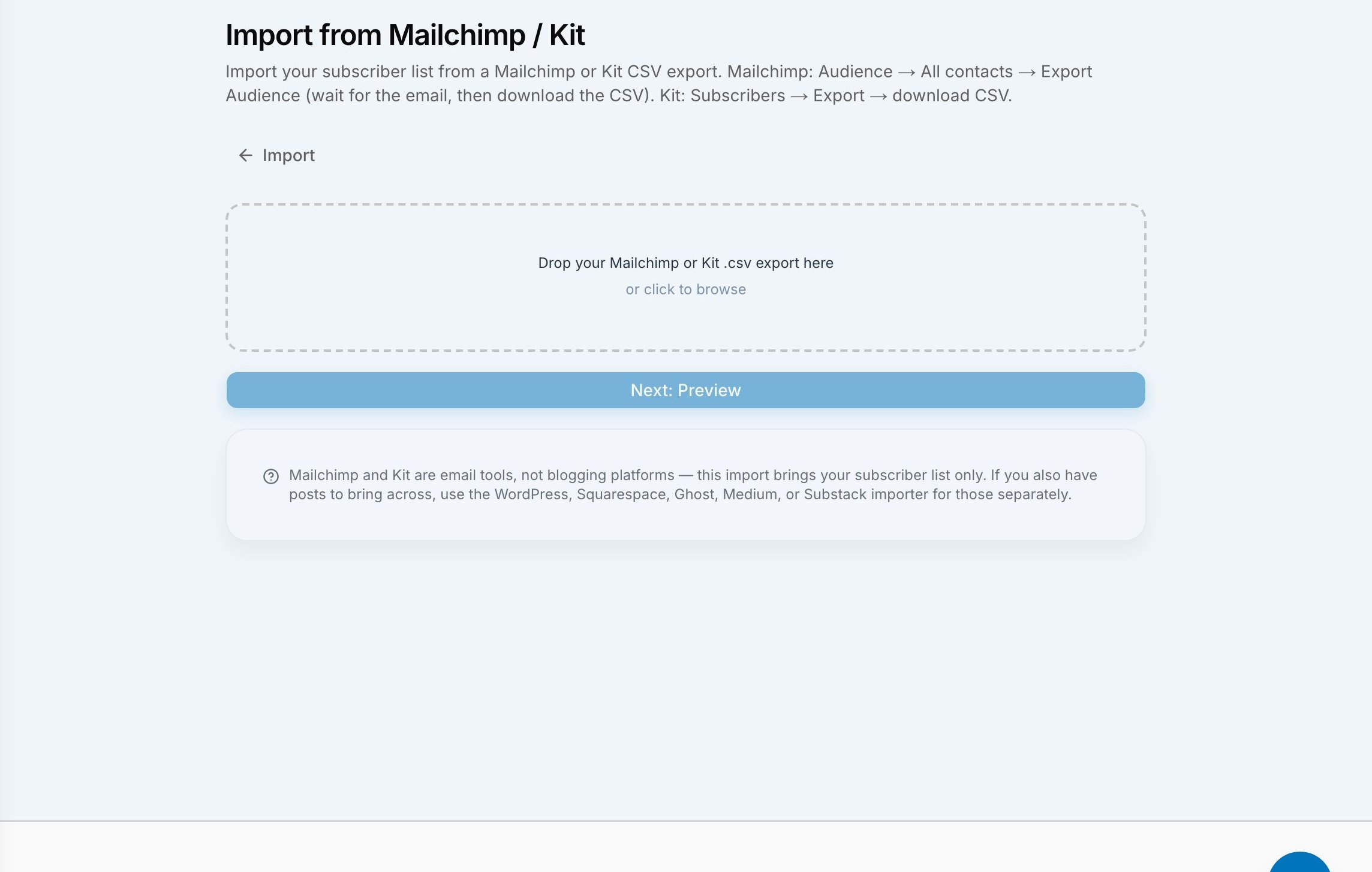
You move your newsletter to VeloCMS by exporting a CSV from your current platform and running it through the built-in import wizard, which detects whether the file came from Mailchimp or Kit, shows you exactly who will and won't come across, and writes your subscriber list in on a single confirmation. For beehiiv, the wizard accepts your posts export and your subscribers export as two separate files, so your published archive can come along with your readers instead of just the list.
Switching email platforms has always carried a quiet tax nobody mentions in the marketing copy: the list. Your posts you can usually copy-paste one at a time if you're patient enough. Your subscribers are a different problem entirely. Ask someone who has actually done this and they'll tell you about the afternoon spent staring at a CSV in Excel, guessing which column is the email address and which one is a custom merge tag nobody remembers adding. VeloCMS built a dedicated importer so that afternoon doesn't have to happen to you.
What do I need to export from Mailchimp or Kit?
Both platforms let you export your audience as a CSV from their own dashboard — Mailchimp calls it exporting your audience, Kit calls it exporting your subscribers. You don't need to reformat anything or strip out columns first. Drop the raw file into VeloCMS's import wizard under Admin, and the wizard reads the column headers itself to figure out which platform it came from. If your file's headers don't clearly match one provider's pattern, the wizard shows you a confidence score for each and asks you to confirm before it maps a single row, rather than guessing silently and hoping it got it right.
This matters more than it sounds. A silent wrong guess means subscribers land with the wrong status or get skipped entirely, and you don't notice until three weeks later when someone emails asking why they stopped getting your newsletter. Being asked to confirm the provider once, up front, is a small extra click that avoids a much larger headache down the line.
What actually gets imported, and what doesn't?
This importer is subscriber-list only for Mailchimp and Kit — it does not bring your old newsletter issues or blog posts across, and it says so plainly on the preview screen before you commit to anything. What it does bring is every subscriber whose status in your export counts as active or subscribed. Anyone who unsubscribed, bounced, or was marked as cleaned in your old platform is left out on purpose, and the preview breaks that count down by the real status name from your export rather than lumping everyone into one vague "excluded" bucket. You'll see something like: 1,842 subscribers will import, 96 are excluded (61 unsubscribed, 22 bounced, 13 cleaned). That's a number you can sanity-check against what you remember your list looking like, instead of trusting a black box.
Any column in your file the wizard doesn't recognize — a custom merge field, a location tag, whatever your old platform let you bolt on — isn't thrown away, but it also isn't silently imported as structured data either. The preview flags it as an unrecognized column so you know it exists and can decide whether it matters, rather than having it vanish with no record. For Mailchimp exports specifically, the wizard also looks at your tags for the usual paid-subscriber signals and carries that distinction into VeloCMS's own membership tiers, so readers who were paying you before generally keep that status here too.
If a subscriber's email address already exists on your VeloCMS blog — maybe from a manual add, or a previous partial import — the wizard doesn't create a duplicate or silently overwrite anything. It skips that row and tells you how many it skipped in the final report, so the numbers you see at the end actually add up to something you can trust.
What's different about moving from beehiiv?
beehiiv splits its export into two separate downloads instead of one combined file: an "Export All Posts" file and an "Export Subscribers" file. VeloCMS's importer is built around that same shape — you can hand it either file on its own, or both together, and it treats them independently. Give it just the subscribers file and you get the same subscriber-only import described above. Give it just the posts file and your published archive comes across without touching your list. Give it both, and you get your back catalog and your readers in the same pass.
When your beehiiv posts do come across, any images referenced inside them — a hero image, an inline screenshot, whatever you embedded in the body — get automatically re-hosted onto VeloCMS's own storage rather than continuing to point back at beehiiv's servers. That's a detail people don't think about until six months after a migration, when the old platform quietly cleans up "unused" media and every image in an old post breaks at once.
Do I need to do anything before I import?
Not really, beyond having your export files ready. The wizard walks you through three steps: upload the file, review a preview that shows exactly what will and won't come across (and asks you to confirm the provider if the file was ambiguous), and apply the import. Nothing writes to your live subscriber list until you approve the preview. If something in the preview looks off — a status count that doesn't match your memory, or more excluded rows than you expected — you can back out and re-export from your old platform before anything changes.
The honest version of this feature is that it moves your list and, for beehiiv, your archive — it's not a magic button that also recreates your automations, your segments, or your old platform's specific tagging structure inside VeloCMS from day one. But the part that used to take the longest, and the part where a copy-paste mistake actually costs you subscribers, is now a guided upload with a preview you can check before you commit. If you're weighing whether to make the jump, you can bring your list over during your 14-day free trial (card required) and see your actual subscriber count land in VeloCMS before you decide anything else.