Disqus Comments
A Disqus thread under each post, switched on with just your shortname
What it does
Disqus Comments puts a Disqus discussion at the bottom of every published post on your blog. You enter your Disqus shortname, tick the switch, and save. From then on each post page loads the Disqus embed script from your shortname's address and shows the thread under a Comments heading. Each thread is tied to the post's internal ID and its public address, so changing a post's slug later does not detach its discussion. The plugin keeps no data of its own. It edits the same comment setting as the Comments section on the Integrations page, so the two screens always agree about which system is active.
Who it's for
Bloggers who already have a Disqus site, or who want a hosted comment system with its own moderation and notification tools rather than running one themselves. It suits people moving a discussion-heavy blog to VeloCMS who want the familiar widget back under their posts. You need a Disqus account and the shortname of a site registered there.
How it works
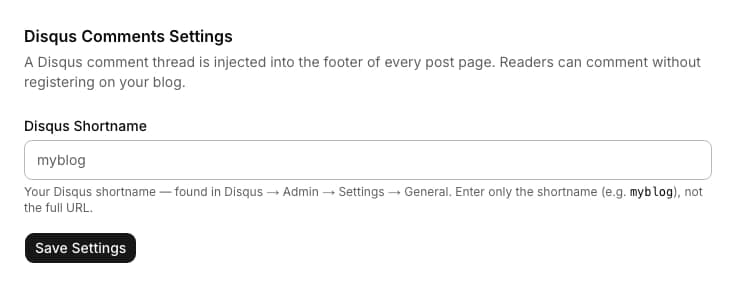
Register your site in Disqus and note its shortname, the first part of your Disqus site address, for example my-blog from my-blog.disqus.com.
In your admin, open the plugin, type the shortname, tick Show Disqus comments on my posts, and save.
Saving makes Disqus the active comment system for your blog. The plugin writes the shortname and the choice to your site's comment settings, and refreshes the blog pages.
A visitor opens a post. The page loads the embed script from your shortname's disqus.com address and the thread appears below the article.
Untick the switch to turn Disqus off, or uninstall or disable the plugin. Either way the shortname is kept, so reinstalling can bring the thread back.
Settings you configure
- Disqus shortname
- Lowercase letters, digits and hyphens, for example my-blog. Anything else is refused with a message, both in the form and on the server.
- Show Disqus comments on my posts
- The on and off switch. If another comment system is active, a notice says that saving will replace it with Disqus.
What it can access
The plugin has no hooks and reads no posts, members or orders. It reads and writes only two values in your site's comment settings, the shortname and the active comment system, and only an editor or higher can change them. On the public site, a reader's browser loads scripts from disqus.com and disquscdn.com, so Disqus sees those visits under its own policies.
Permissions
- Inject a Disqus script tag into your post pages
- Load third-party content from disqus.com and disquscdn.com
External network access
This plugin makes requests to the following domains:
*.disqus.com*.disquscdn.com
Capabilities
network:fetchui:settings
Screenshots
Honest limits
Only one comment system is active at a time. Turning Disqus on replaces native comments or Giscus, and turning it off sets comments to none.
Installing the plugin switches Disqus on only when a valid shortname is already saved and no other comment system is active. It never overrides native comments or Giscus by itself.
Comments live on Disqus, not in VeloCMS, so you moderate them in Disqus.
Disqus controls how its thread looks and behaves. The plugin offers no styling options for it.
The Comments heading above the thread is fixed text and is not translated.
Disqus is a declining third-party product. Existing install bases may see ad injection or churn risk — a native comments system is the long-term recommendation.
Frequently asked questions
Where do I find my shortname?
It is the first part of your Disqus site address. If your site lives at my-blog.disqus.com, the shortname is my-blog. The form accepts only lowercase letters, digits and hyphens.
Does it replace my existing comments?
Only if you ask it to. Saving with the switch ticked makes Disqus the active system, and the form warns you which provider it will replace. Installing the plugin alone never overrides another active system.
What happens when I uninstall the plugin?
Disqus comments are switched off, but your shortname is kept. Reinstalling restores the thread when a valid shortname is saved and no other system has been turned on since.
Will renaming a post's slug lose its comments?
No. The thread is identified by the post's internal ID rather than its slug, so the discussion stays attached after a slug change.
Specifications
- Category
- Content
- Price
- Included
- Version
- 1.1.0
- Source
- First-party
Browse more integrations
58 free first-party integrations available.