Auto Tags
Adds up to three keyword-matched tags to a post when it is published
What it does
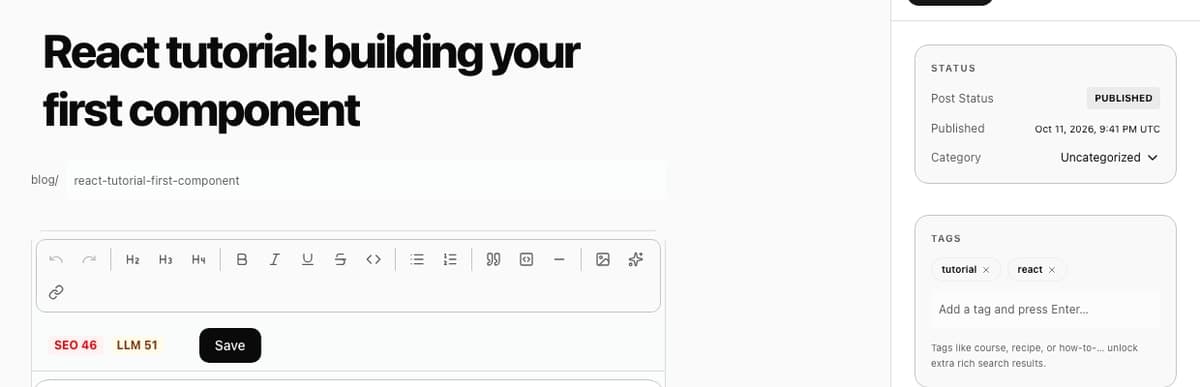
Auto Tags runs at the moment a post goes live. It reads the title and the body, looks for keywords from a built-in list, and adds the matching tags to the post. The list holds 22 tags, such as tutorial, review, news, javascript, design, marketing and video, and each tag is triggered by a handful of English words. A word counts only as a whole word, so ai does not fire inside said. A tag is added when one of its words is in the title, or when its words appear at least twice in the body. If more tags qualify, the three with the strongest matches win, title matches first. Tags you already set are kept, and a suggested tag that is already there is not added twice. It is plain keyword matching on your own server, with no AI model and no outside service.
Who it's for
Bloggers who publish often and forget to tag, or who hand posts to writers and want a basic set of topic tags without a review step. It suits English-language blogs about technology, business, design and creative work, where the built-in words fit the subject. If you want carefully chosen tags for every post, set them yourself; this plugin only fills in broad ones.
How it works
Install and enable Auto Tags from the marketplace. It has no settings page, so there is nothing to configure.
Write and publish a post as usual: from the editor, the bulk publish action, the REST API, or by scheduling it.
At the moment the post changes to published, the plugin checks the title and body against its keyword list, case-insensitively and by whole word, keeps the tags whose words are in the title or appear at least twice in the body, and picks the three strongest.
Those tags are merged into the post's existing tags, skipping any that are already there, and the post goes live with the combined list.
What it can access
Auto Tags reads the post's title and body and may add tags to the post, which is why it asks for permission to read and edit your posts. It runs entirely inside your own VeloCMS site. It makes no network calls, sends nothing to an outside service, and calls no AI model. It touches nothing but the tag list of the post being published.
Permissions
- Read your posts and pages
- Create and edit posts
Lifecycle hooks
beforePostPublish
Capabilities
content:readcontent:write
Screenshots
Honest limits
It runs only when a post changes to published. Editing a post that is already live does not run it again, and unpublishing then publishing again does.
Posts brought in by an import or a migration are not tagged; they keep the tags they arrived with.
The keywords are English and fixed. You cannot add, remove or rename tags or keywords, and it does not read your existing tag list. Arabic or other non-English text matches nothing, apart from English words or Latin abbreviations written inside it.
Matching is by whole word, but it is still keyword matching and cannot judge meaning, so a word used in another sense (a title with the word review in a non-review post) can add a tag you did not intend. Review the tags after publishing.
It adds at most three tags. A tag needs a keyword in the title or at least two mentions in the body, and the strongest matches win, with title matches ranked first. It never removes a tag.
A tag it fails to add never stops a post from publishing.
Frequently asked questions
Does this use AI to choose the tags?
No. It compares your text against a fixed list of English keywords. No AI model is called and nothing leaves your site.
Will it change tags I already set?
No. Your tags stay as they are, and the plugin only appends new ones that are not already on the post.
Why did a post get a tag that does not fit?
The match is by keyword, not meaning, so a word used in a different sense can trigger a tag. Remove the tag in the editor; it will not come back unless the post is published again.
Does it work for Arabic posts?
Not really. The keyword list is English only, so an Arabic post is tagged only if it happens to contain one of those English words.
Related plugins
Specifications
- Category
- SEO
- Price
- Included
- Version
- 1.0.0
- Source
- First-party
Browse more integrations
58 free first-party integrations available.