Ribbon Florist
An ivory wedding-stationery look, drawn in gold line work, for florists and planners.
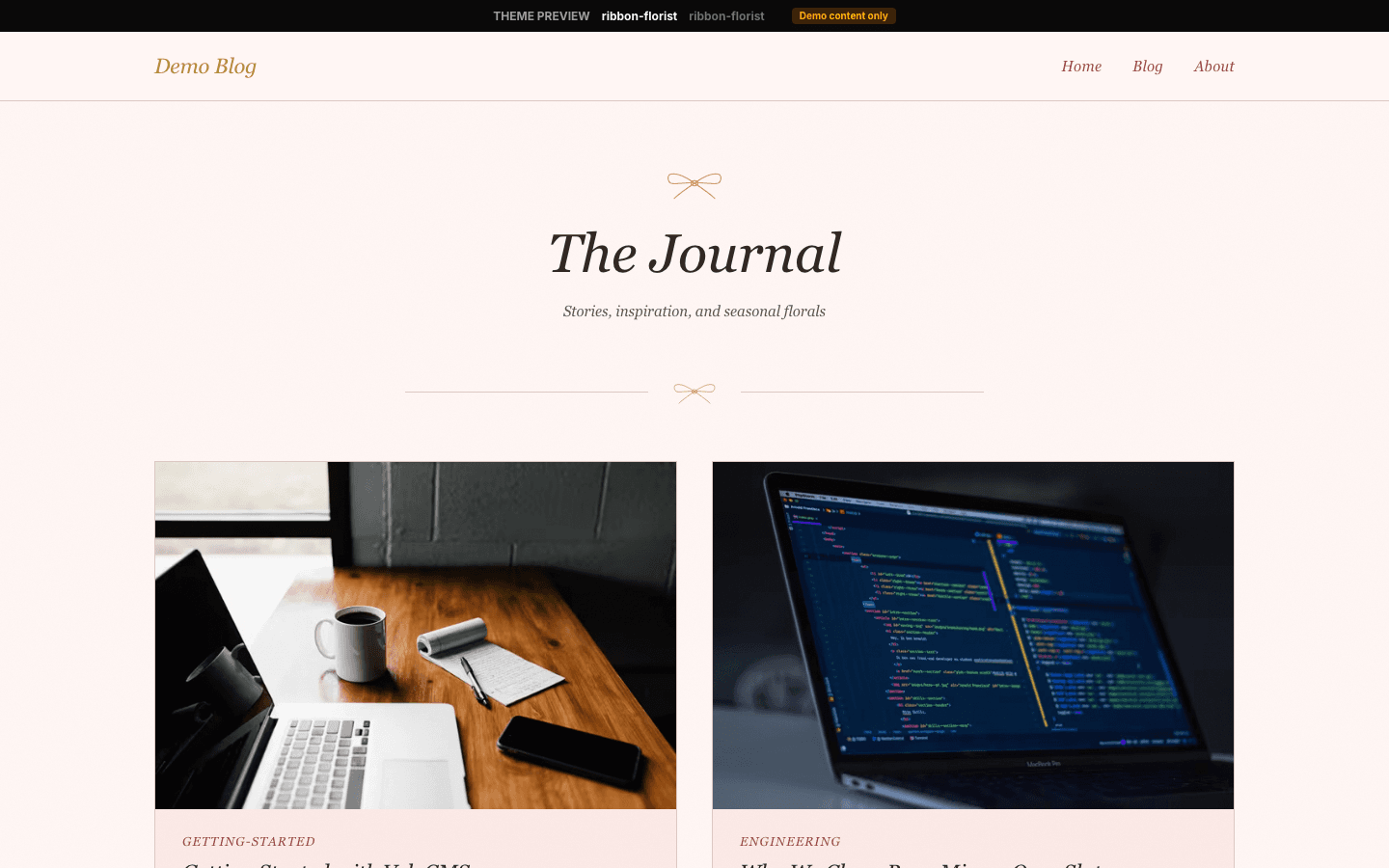
Ribbon Florist treats a website like a wedding stationery suite. Three hand-drawn line ornaments, a ribbon bow, a single rose and a eucalyptus sprig, recur across the pages, and your latest post sits in an ivory card laid over its photograph like an invitation on a table. The brand name, navigation and the home and shop headings are set in Cormorant Garamond italic, on an ivory ground with gold hairlines and dusty rose links.
Who it's for
Picture the businesses whose work ends up at a wedding: florists, planners, bridal boutiques, stationery designers, cake makers, venues and wedding photographers who keep a journal and sell a little on the side. Its default wording already talks that way, from a login card headed The Guest Book to a drawer footnote promising new arrangements weekly. A brand needing a dark palette or a neutral corporate voice will fight it.
What makes it different
Ornaments drawn as single gold strokes
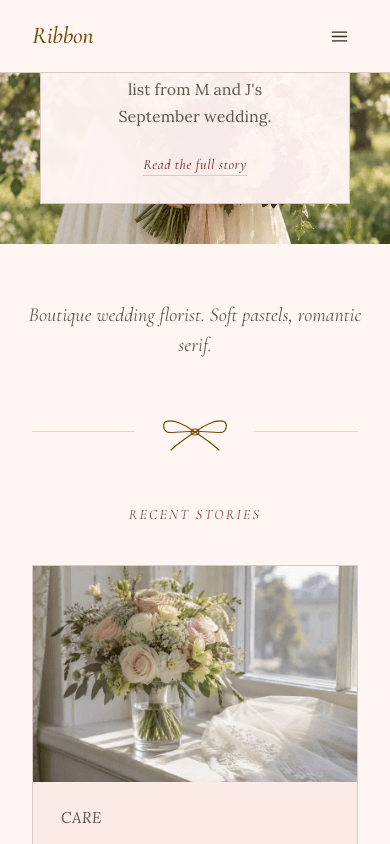
The bow, rose and sprig are inline outline drawings with 1.2-weight strokes, not icon-font glyphs. The bow caps the home hero card, sits between two faded gold rules under the tagline, and tops the shop heading, the mobile drawer, the login card and the 404 card. The rose closes the home page; the sprig, in sage, centres every footer.
A front page set like an invitation
A wide 16:7 hero belongs to your newest post (its cover, or your site hero image), with an ivory card near its foot holding the bow, first tag, title, excerpt, plus a Read the full story link. Your italic site description follows, then a two-column Recent Stories grid of the next four posts, whose hairline borders turn gold on hover.
A boutique counter with real filters
Under a bow and an italic gold heading sit a gold-bordered search box, rose-filled chips marking the chosen category, a price range and an only-in-stock tick box. Each card's 4:3 image crossfades on hover to a second photo, if there is one, above a rose italic category and the price; variant-free products gain add-to-cart after payments are configured.
A gold-framed product card and a blush buy panel
A product opens on a gold-framed card with the title, tagline, price and buttons, then a 16:9 gallery with thumbnail tabs, an About this product box and a What's included list with rose ticks under a blush header. A lower blush panel repeats the buttons, and product FAQs open as an accordion. The direct buy button needs Stripe.
Gold-outlined Subscribe and a Keep reading box
Provided you have a newsletter or membership and Show subscribe widget on blog is enabled, a gold-outlined italic Subscribe button sits in the drawer and, for signed-out readers, in the header too. After its tags, every article offers a Keep reading box whose email field hands the address on to your subscribe page rather than enrolling the reader.
Member pages that keep the wedding voice
Signing in happens inside a pearl card with the bow and the eyebrow The Guest Book; the subscribe page uses Join the Guest List over your plans, and its error and closed states reuse that card. The not-found page follows suit, linking home and to your posts.
Page by page
- Home
- Photo hero with a floating ivory card, an italic tagline, a bow divider, four recent posts side by side in pairs and a rose divider.
- Blog
- Your site name beneath an All Posts eyebrow, chips for categories, cards set three abreast with reading time, and page numbering.
- Post
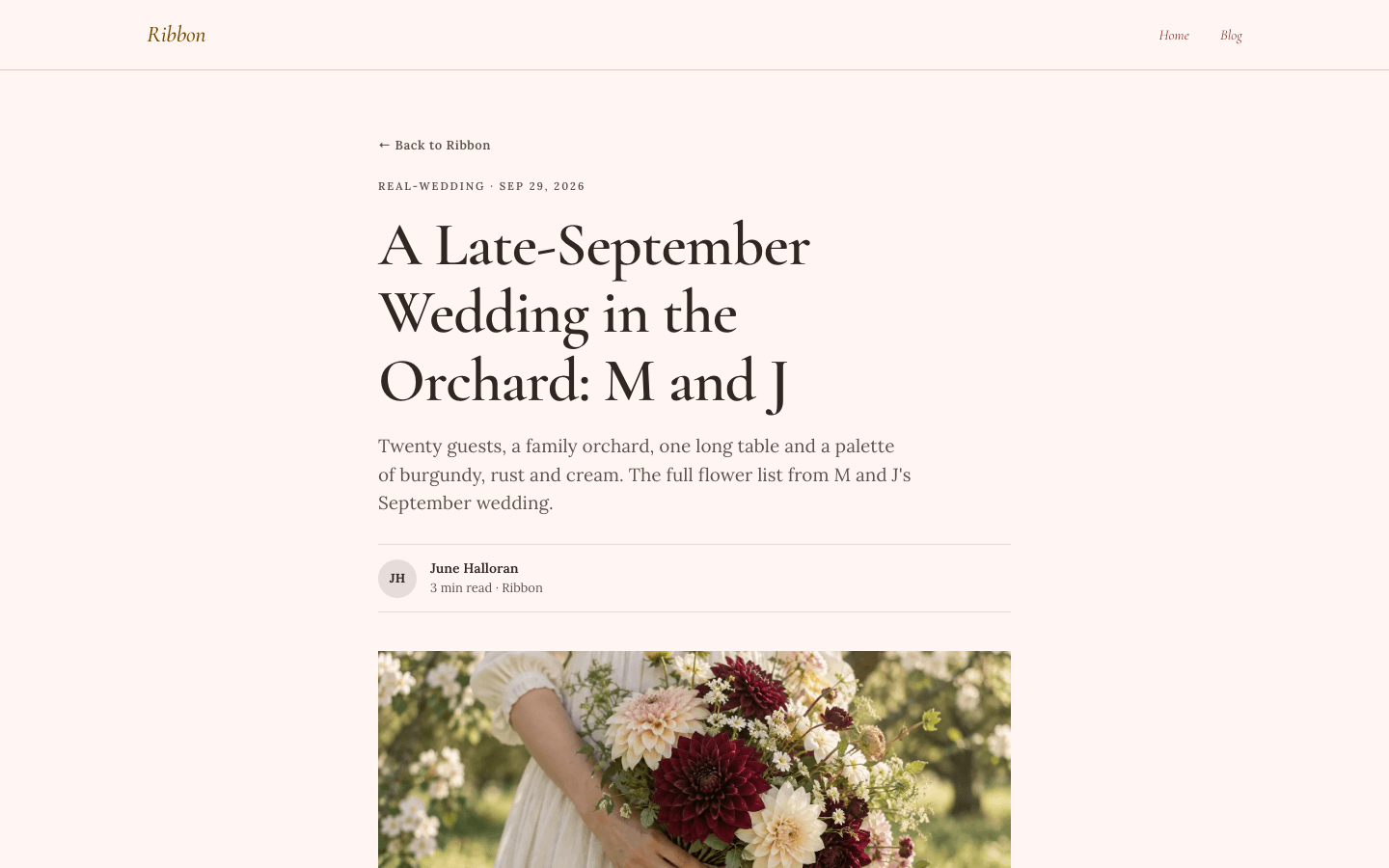
- Eyebrow of tag and date, the excerpt standing in as standfirst, a byline of initials, the 16:9 cover, plugin slots, plain tags, comments and, optionally, a subscribe box.
- Page
- An eyebrow, an upright serif title and a description over a 720-pixel prose column, with the shared header and footer.
- Shop
- Bow and italic heading, a search box, category chips, filtering by price and stock, then gold-bordered product cards whose images change on hover.
- Product
- Framed title card with price, a thumbnail gallery, description, an included-items list, a blush buy panel and FAQs.
Customizing it
Via the Global Design switch Apply my brand to the whole site theme, the ivory follows your background, the soft coffee brown your text colour, and secondary text takes the muted lines. Primary recolours the dusty rose, from navigation links to active shop chips, accent recolours the gold rules, borders and brand name, and neutral sets the hairlines. The theme's typefaces yield to the heading and body fonts you set, and the pearl card surface is re-tinted from a custom background. The blush panels, sage sprig, the date tone and the hero card's ivory stay fixed.
Honest limits
- Ivory is the only palette; nothing in the stylesheet responds to a visitor's dark-mode setting.
- No more than five posts reach the home page (a hero and four grid cards), followed by a View all stories link. With nothing published the hero disappears and placeholder cards stand in.
- The italic look thins out on reading pages: blog cards round their corners to 8 pixels and lift 2 pixels on hover, filter chips and tags take a pill shape, and blog and article titles are upright.
- Without a Theme Copy panel, labels such as Recent Stories, The Guest Book and the drawer footnote New arrangements weekly stay as written. The blog's All chip and Next link are English in every language.
- Body text asks for Lora by family name instead of the font file the platform loads for this theme, so visitors without Lora installed read it in Georgia or another serif. Article tags are plain labels; shop cards lack a wishlist button.
Specifications
- Category
- Wedding & events
- Price
- Included
- Plan availability
- Included in every VeloCMS plan
- Commerce-ready
- Yes
- Motion
- No
Good fit for
Frequently asked questions
Is Ribbon Florist only for weddings?
Its defaults lean that way: the stock tagline reads Where Love Blooms on Every Page and the member pages talk about guest books and guest lists. Your site name and description replace the brand and tagline, but nothing rewrites the other labels, so a non-wedding shop keeps some of that tone.
Does the theme animate?
Only on hover. Links and buttons change colour over about 150 milliseconds, home card borders turn gold and shop card borders rose, blog cards rise 2 pixels and shop images crossfade. Nothing moves on load. The theme's stylesheet has no reduced-motion rule, though the shared shop image swap turns instant for visitors who ask for less motion.
What if my posts have no photos?
On the home page, cards fall back to soft gradients: blush to pearl in the hero, and rotating blush, rose, sage and pearl tints in the grid. An article with no cover shows an ivory, tan and rose gradient panel where the photo would be. Blog archive cards simply leave the image area blank.
How are sub-menus shown?
On desktop, an item with children reveals them in a small ivory panel with near-square corners. Under 1024 pixels, the menu button opens a 320-pixel drawer from the reading-end edge, where nested links are listed open, each indented beneath its parent.
Can I sell bouquets, prints or stationery?
Yes. A storefront and product pages come built in, filterable by search, category, price and stock. Add-to-cart shows when a payment method is configured, and the separate buy-now button needs Stripe. Products with variants link to their options page.