WhatsApp Chat
A floating button that opens WhatsApp with your number and a prefilled message
What it does
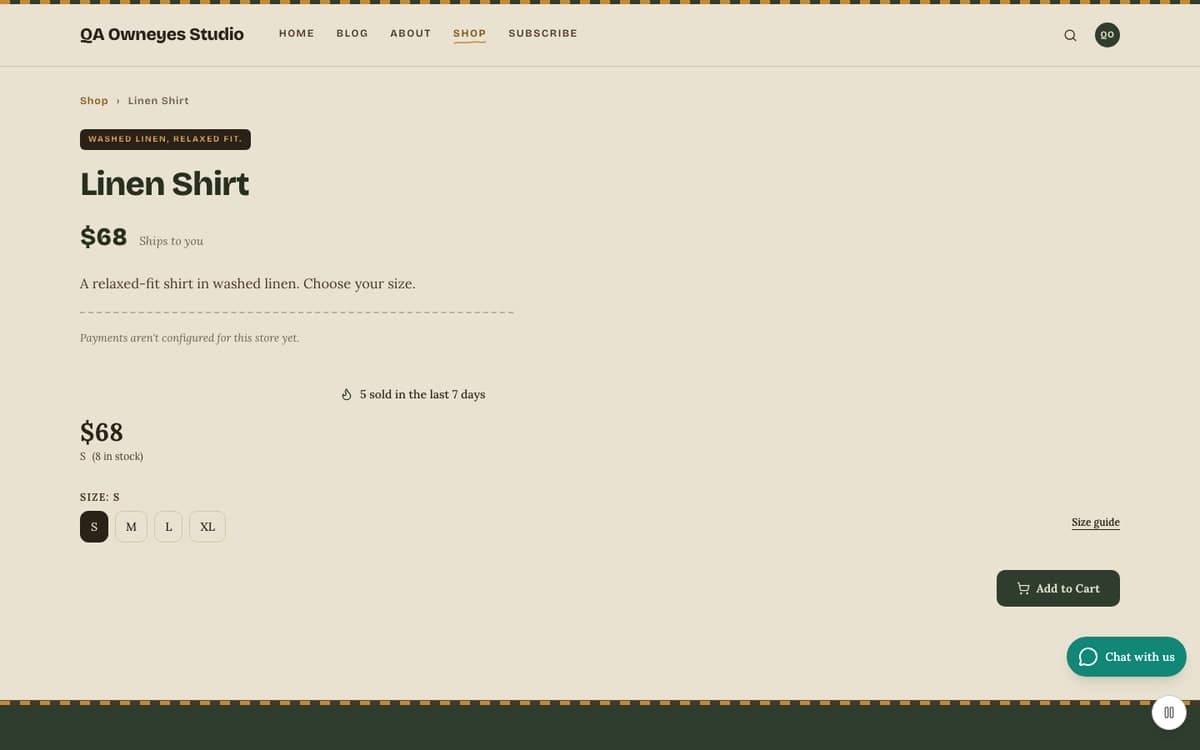
WhatsApp Chat adds a round button in the corner of your site. When a visitor clicks it, WhatsApp opens in a new tab with a conversation to your business number and a message already typed. On a product page the product name and the page link are added under your message, so you know which item the question is about. It is a plain wa.me link. There is no third-party chat script, no widget loading from another company and no tracking. You choose the corner, whether the button shows on every page or only on product pages, and an English and an Arabic version of the message. It stays hidden until you save a valid number.
Who it's for
Small shops, studios and service businesses that already talk to customers on WhatsApp and want a visible way to start the chat. It also suits a shop that wants to greet customers in their own language, because the prefilled message can be written in English and in Arabic. It is not a live-chat tool: the conversation happens in WhatsApp on your phone or desktop, not inside VeloCMS.
How it works
Install the plugin and open its settings. The button does not appear yet, because no number is saved.
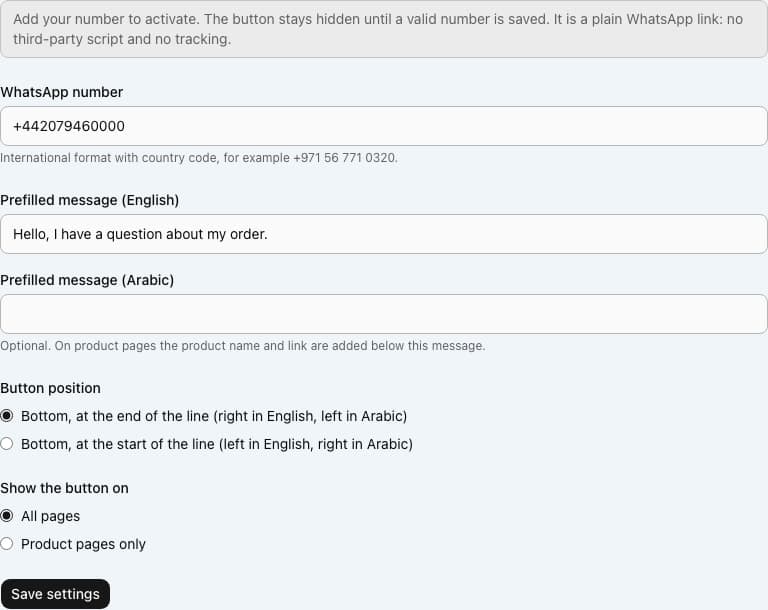
Type your WhatsApp number in international format, with a plus sign and the country code. Spaces, dashes, dots and brackets are fine, and a leading 00 is read as a plus sign.
Optionally write the prefilled message in English and in Arabic, choose the corner, and choose whether the button shows on all pages or on product pages only. Save. Saving a valid number switches the plugin on.
Visitors see the button. When they click it, WhatsApp opens with your number and the message. On a product page the product name and link follow the message.
Settings you configure
- WhatsApp number
- International format with the country code. It is saved in a standard form, with a plus sign and 7 to 15 digits. If it is not valid you see a message and nothing is saved.
- Prefilled message (English) and (Arabic)
- Optional, up to 300 characters each. The Arabic site uses the Arabic message, or the English one if the Arabic is empty. With neither, a short built-in greeting is used.
- Button position
- The end of the line (the right in English, the left in Arabic) or the start of the line (the opposite side). It follows the page direction.
- Show the button on
- All pages, or product pages only.
What it can access
The plugin stores the number and messages you type, and your site shows them to every visitor, because they are in the button's link. It loads no script from WhatsApp or anyone else. Nothing is sent anywhere until a visitor clicks; then their browser opens WhatsApp, and WhatsApp's own privacy terms apply to what they send you.
Permissions
- Add settings sections
Capabilities
ui:settings
Screenshots
Honest limits
It is a link, not a chat inside your site. VeloCMS does not receive, store or show the conversation, and it records no clicks.
You can set one number per site. There is no team routing, opening hours or away message.
The button needs a valid number. With the field empty, or an invalid number, it does not appear.
The text label, Chat with us, shows when a visitor hovers or focuses the button and on very wide screens. On most screens the button shows only its icon.
Your customers need WhatsApp, and you need to be able to reply on the number you give. WhatsApp's own rules for business use apply to you.
Frequently asked questions
Does it add a tracking script?
No. It is an ordinary link to wa.me. The plugin adds no third-party script and does not track clicks.
Why is the button not showing?
Most often no valid number has been saved yet. Also check that the plugin is installed and on, and that Show the button on is not set to product pages when you are looking at another page.
Does it work in Arabic and on the right-to-left layout?
Yes. The label and message come from the page language, you can write a separate Arabic message, and the button moves to the correct side when the page runs right to left.
Will it overlap my sticky add to cart bar?
No. When the bar is showing, the button lifts above it automatically.
Related plugins
Specifications
- Category
- Marketing
- Price
- Included
- Version
- 1.0.0
- Source
- First-party
Browse more integrations
58 free first-party integrations available.