How do I move my Wix blog without downloading a backup?
Point VeloCMS at your live Wix URL and the importer pulls pages, posts, and media in as editable content. No export file, no ZIP archive, no copy-paste.
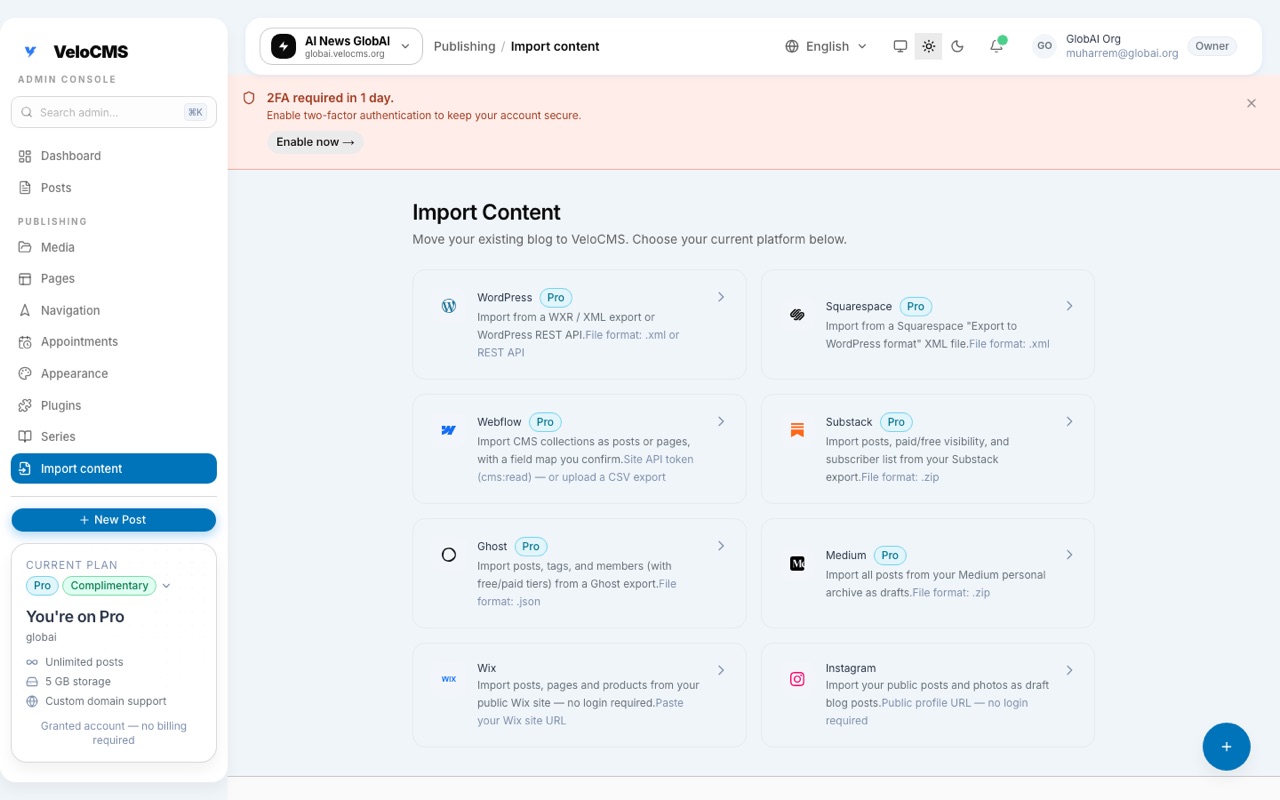
You can now point VeloCMS at your live Wix URL and pull your content straight in. No export file, no manual copy-paste, no wrestling with ZIP archives. The importer reads your public site and turns pages and posts into real VeloCMS content you can edit immediately.
Switching blog platforms used to feel like moving house through a keyhole. You'd export some partial file, lose half your media, then spend a weekend rebuilding everything the old builder wouldn't give back. We shipped the Wix importer to skip that whole ritual.
How does the Wix import actually work?
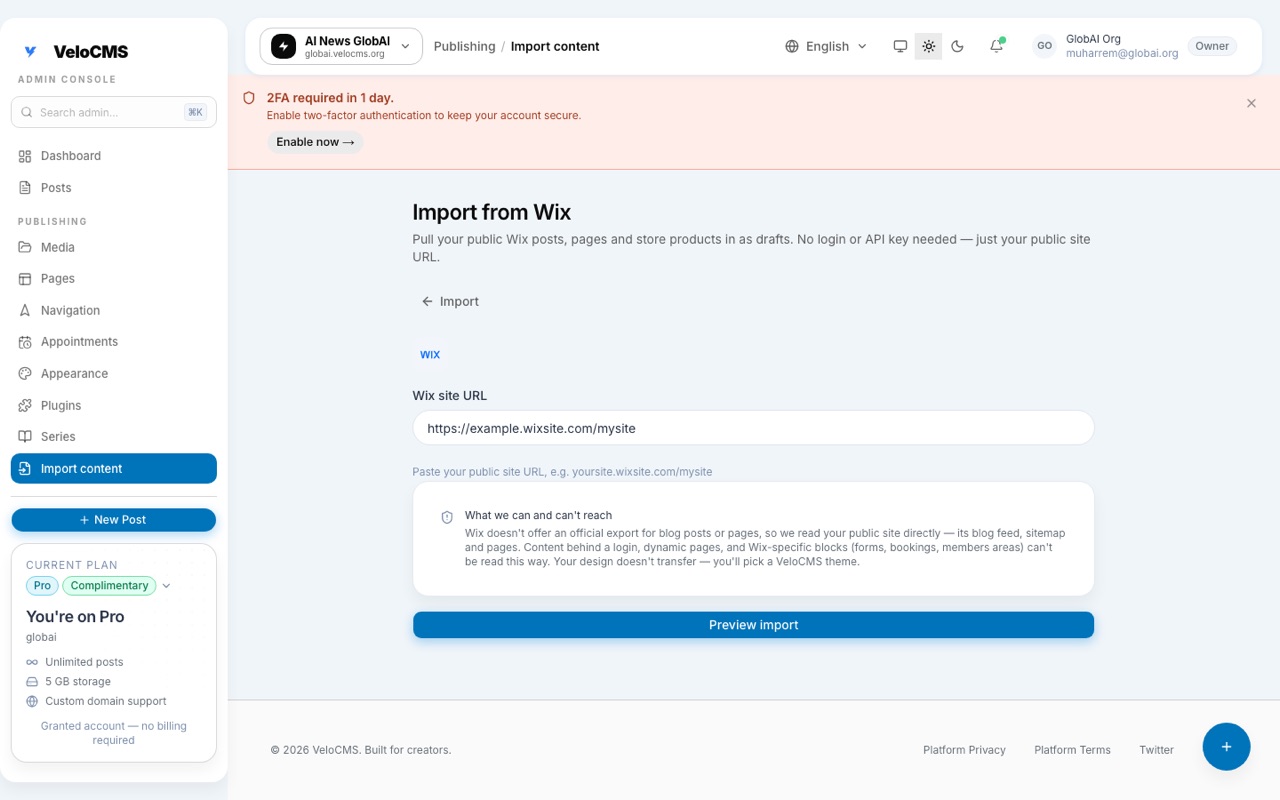
You paste your public Wix URL into the importer and let it read what's already live. VeloCMS walks the rendered site, pulls out pages and posts, maps images and text into the VeloCMS structure, and lands everything in your draft workspace. You're not scraping raw HTML into a static page; each piece becomes real, editable content inside VeloCMS. That means you can rewrite a headline, swap a hero image, or change the URL slug after the import finishes.
What comes over from Wix?
Pages, blog posts, and the media embedded in them make the trip. The importer preserves the body content and structure as closely as possible, then hands you clean VeloCMS blocks you can rearrange. It won't clone Wix's exact theme (that would be a copyright and maintenance mess), so your site gets a fresh VeloCMS look that you control. Think of it as rescuing your writing and assets, not photocopying the old design.
What does NOT come over?
Not everything on your Wix site counts as content the way VeloCMS understands it. Forms, booking widgets, and members-only areas are Wix apps, not article bodies, so the importer leaves them alone entirely (there's nothing there to migrate; you'd rebuild those with a VeloCMS-native equivalent if you still need them). And because the importer reads what's actually served in your site's HTML rather than rendering the page the way a browser does, a page built almost entirely out of client-side scripts can come through thinner than you'd expect, missing text or sections that only appear once Wix's own JavaScript runs.
Media deserves its own callout here. Wix's RSS feed, usually the fastest route to your posts, doesn't include images at all. That's a known limitation of the feed itself, not something we're getting wrong on our end. So every post that arrives through the feed gets a second pass that goes back to the live page and recovers its images directly, rather than trusting the feed to hand them over. It's worth a quick scroll through your imported drafts once the run finishes, just to confirm the images you expected actually landed where they should.
Why import from the public URL?
Because most Wix owners don't have a clean export sitting around. Asking someone to dig through Wix settings, generate a backup, and upload mystery files is exactly the friction that keeps people locked on a platform they've outgrown. Reading the live URL removes that gate entirely. If your site is public, the importer can see it, which means migration day becomes "paste link, review drafts, publish" instead of a multi-day project.
How does the importer find your content?
Under the hood, it's less a single scraper and more a short ladder, and each rung only matters if the one above it comes up short. First it tries your Wix blog feed directly at /blog-feed.xml, which is where Wix publishes RSS by default. If that's missing or oddly configured, it falls back to a more general feed-discovery pass that checks the handful of other places a feed might live. If there's still nothing usable, it walks your sitemap instead and collects every page on your domain that isn't a product page. From there, each page gets read on its own: the importer looks for JSON-LD Article or BlogPosting markup, Open Graph tags, and a readability pass over the page content, then decides for itself whether what it found is a blog post or a plain static page.
The point of building it this way, rather than betting everything on one method, is that Wix sites aren't all wired the same. Some have a clean RSS feed and nothing else is needed. Others never set one up, or their feed has drifted out of sync with what's actually published. A scraper that only knows one trick fails outright the moment a site doesn't match its assumptions; a ladder just moves down a rung and keeps going, so the importer degrades gracefully instead of giving up.
Is this part of a broader import push?
Yes. This same week we shipped Webflow CMS collection imports and Squarespace XML uploads, plus a new Google Search performance panel next to your SEO score. Wix was the missing piece for a huge slice of creators who started there and now need a faster, cleaner platform. We built it because those creators kept asking for a way out that didn't start with "first, become a backup expert."
What happens after the import finishes?
Everything the importer pulls in lands as a draft, sitting in your normal post editor exactly like anything you'd written from scratch. Nothing gets published automatically, so there's no risk of an old Wix post going live on your new domain before you've had a chance to look at it. You can review each one, tidy up a headline, swap an image, or change the slug, and only publish once it actually reads the way you want. It isn't locked behind a paid plan, either, so this isn't something you have to upgrade into just to try.
If you're sitting on a Wix site that has outgrown its editor, the new importer is live now under Import in your admin sidebar. Start a 14-day free trial (card required), paste your URL, and see your content in VeloCMS within minutes.