Logbook
A service-book look for garages, with your real prices one tap from a booking.
Logbook is built around the booking rather than the blog. Its home page reads your active services from Appointments and sets them out as a ruled price table, each row with a Book button that opens the booking form with that job already chosen. Prices, plates and times are set in IBM Plex Mono under Archivo headings, on a paper-coloured ground, with hi-vis yellow-green kept for Book button fills and a hazard stripe.
The live demo shows a fictional garage created to show this theme. Its prices, phone number, address and opening hours are made up.
Who it's for
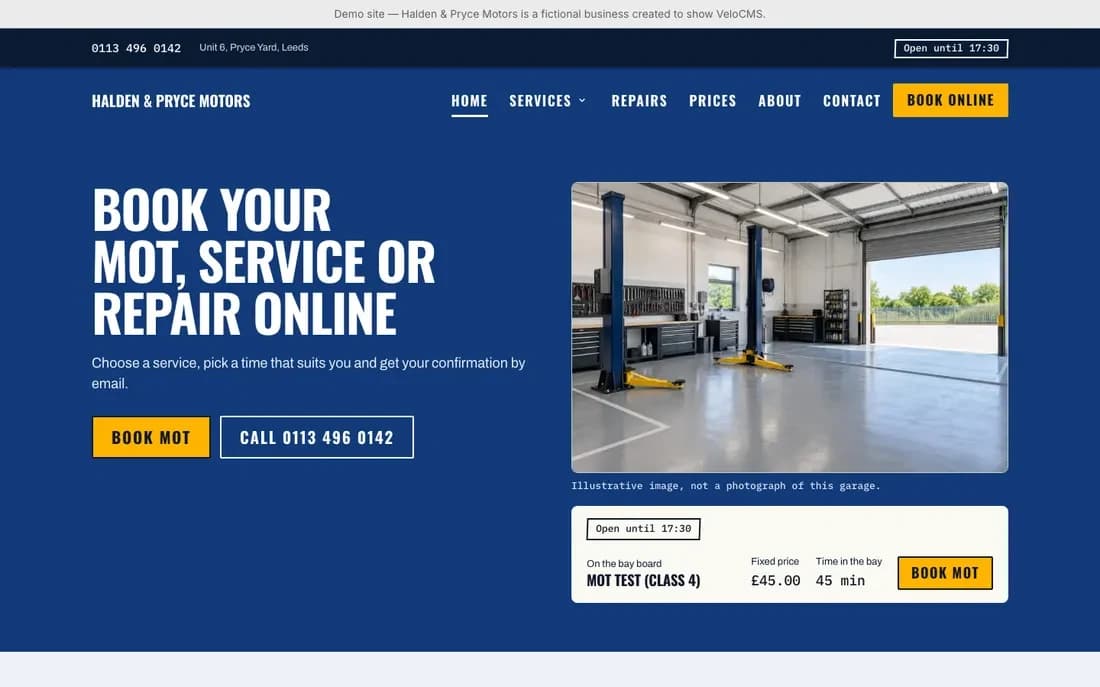
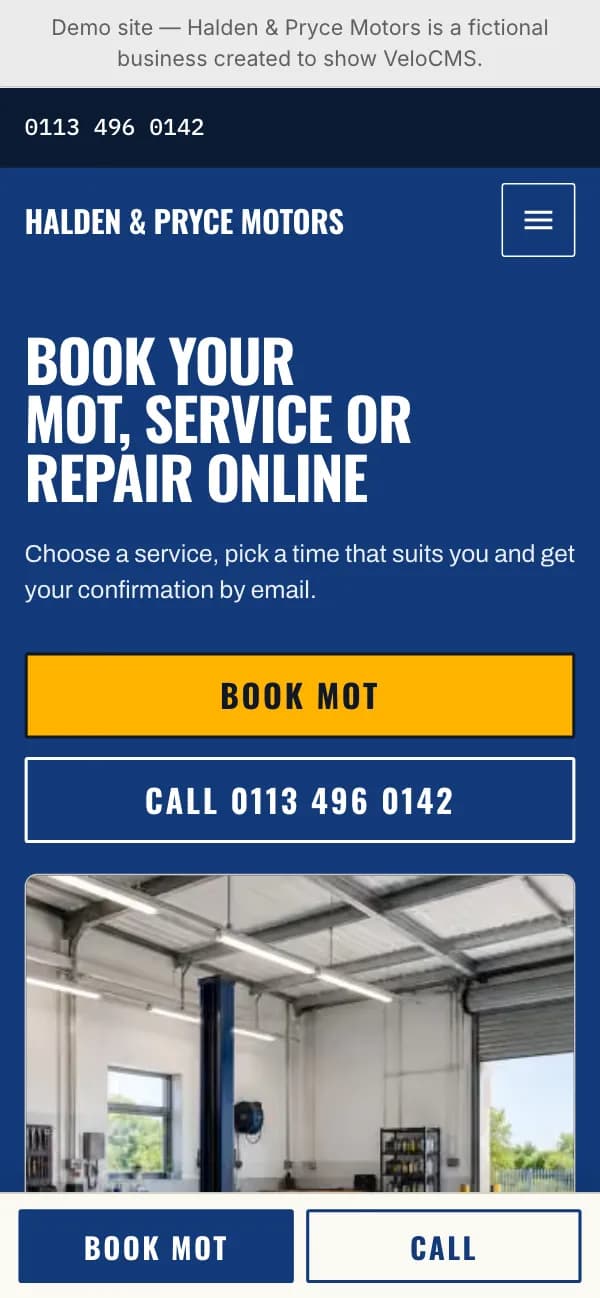
It suits independent garages, MOT test stations and servicing workshops that want a customer to see a price and pick a time without ringing first. When the garage is marked as an MOT test station, a registration field joins the home page, and the hero and mobile Book buttons read Book MOT whenever your featured service is an MOT. A mechanic who writes car-care advice gets a workshop log for it. A business with nothing to book will find most of the home page bare, since the price list, booking steps and hero board all come from Appointments services.
What makes it different
A price list read from your booking data
The home page shows your first six active services, in name order with your featured service first, each with its duration and price in monospaced figures. A service without a price says Price on request instead of zero. With more than six, a See all prices link leads to /services, which lists every one.
An open-now stamp that cannot go stale
The Open until, Opens at, Closed now or Closed today stamp is worked out in the visitor's browser from your Appointments availability and the garage's timezone, then rechecked every minute, so a cached page never claims you are open. Site-wide closures and changed hours in the next 14 days override the weekly pattern and are listed under the hours table.
Trust sections that wait for your own details
Accreditations, figures, reviews, makes, workshop photos and the gallery come only from your Garage profile, and each section vanishes while its fields are blank. Years in business is calculated from your founding year, reviews appear as plain quotes without stars, a figure repeating an earlier number is dropped, and Our work waits for three captioned photos.
A registration box with no script behind it
For an MOT test station the home page adds a registration field set in large monospaced capitals. It is an ordinary form: pressing Continue sends the plate, plus your featured service when one is chosen, straight to the booking page, so this box adds no JavaScript to the home page at all.
Call and Book within thumb reach
Below 768 pixels a bar pinned to the bottom of the screen carries Call and Book. Call needs a phone number, and Book steps aside on the booking page itself. The side drawer opens under a hazard-striped edge with the open-now stamp, a tap-to-call number, condensed weekly hours and your street and town.
A workshop log for advice posts
Under category pills, the blog lists ruled entries with a monospaced date, reading time, excerpt and optional thumbnail, then numbered pages. Articles hold a 68-character measure and, on wide screens, keep a sticky card beside the text with a Book button and your number, so a post about brake noise sits one click from a slot.
Page by page
- Home
- Hero with your photo or a bay board for the featured service, price list, MOT box, trust rows, hours with a map, three advice posts and a booking band.
- Blog
- Workshop log masthead, an All categories pill plus up to twelve category pills, ruled entries with date stamps and numbered pagination.
- Post
- Archivo body at 68 characters, monospaced meta, cover image, tag links, comments and a sticky booking card on wide screens.
- Page
- A dark hero band with breadcrumb, title, optional page photo and Book and Call buttons above the body. /services and /contact skip the band for their own price list, hours and contact layouts.
Customizing it
Turning on Apply my brand to the whole site theme in Global Design swaps paper, ink and muted text for your background, text and secondary text colours, and your accent replaces the hi-vis Book fill. A primary colour repaints the header, dark buttons, drawer and hero bands and makes the header sticky; a secondary colour repaints the contact bar and footer. Headings and body follow your fonts, the monospaced figures do not. The Garage profile adds a Bold uppercase heading style, and Theme Copy rewrites nine home and footer lines.
Honest limits
- It is light only. There is no dark stylesheet, and the visitor's system colour preference is ignored.
- Some colours stay fixed whatever your brand: the cream card surface, the charcoal closing booking band, the red stamp used for closures, the steel input borders and the beige hairlines.
- The home page shows at most six services and the three latest posts, the posts as text without images. The full list lives on /services and the blog.
- There is no Logbook shop design: shop and product pages fall back to the platform's default layouts.
- Opening hours come only from your Appointments availability, and the open-now stamp needs JavaScript, so it stays blank until the page loads.
- Once an address is entered, the home and contact pages embed a lazily loaded Google Maps frame, with no option to keep only the directions link.
- The blog heading, its introduction and the booking card wording are fixed and outside Theme Copy, and a site description, when set, replaces your Theme Copy footer line.
Specifications
- Category
- Business
- Price
- Included
- Plan availability
- Included in every VeloCMS plan
- Commerce-ready
- No
- Motion
- Yes
Good fit for
Frequently asked questions
Do I type my prices into the theme?
No. Logbook reads the name, description, duration and price of every active service in Appointments, in your site currency. The featured service you pick in the Garage profile leads the list, fills the hero board and is preselected by every main Book button.
What does the hero show if I have no photos?
Your own hero photo comes first. Without one, and with sample images switched on, a stock picture appears with the line Illustrative image, not a photograph of this garage. Otherwise the featured service fills the column as a bay board, and with no featured service the headline stands alone. Workshop, team, shop front and gallery slots never use samples.
Can I add my own sections to the home page?
Yes. Publish a page-builder page with the slug home-sections and its blocks appear between the figures row and How booking works, in Logbook colours. A draft or missing page adds nothing.
Does anything move?
Very little. The mobile drawer slides 24 pixels into place over 220 milliseconds and buttons shift one pixel when pressed; service and icon cards inside your own page-builder sections lift 4 pixels on hover. A reduced-motion setting removes all three, and there are no scroll effects.
Can my menu have sub-items?
Yes. On desktop a parent opens a dropdown on the cream card surface with a steel border and 2-pixel corners; in the mobile drawer the children are listed already open and indented. A menu link to /book is left out, because the header already carries the Book button.