Newsletter Hub
A white, serif home where the subscribe form comes first.
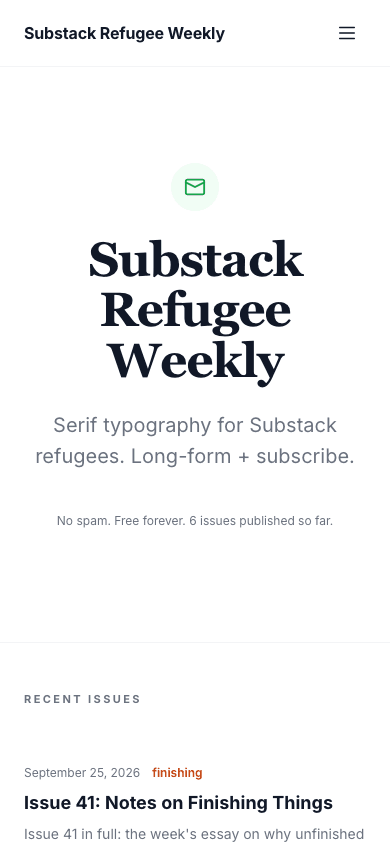
Newsletter Hub opens with a mail icon, a serif headline, your description and an email field, so a first-time visitor sees the subscribe step before anything else. Recent issues follow as a plain archive list with dates, tags and reading times. The page is white with an orange accent and a Georgia-style heading face, which keeps the focus on the writing.
Who it's for
This one is for writers who build an audience by email. Newsletter authors, independent essayists and indie makers who publish on a schedule get a home page that asks for the subscription and then proves the archive exists. It also suits anyone moving a newsletter archive onto their own site. Skip it if you want a visual, image-led front page, because the design is deliberately text-first with no hero photograph.
What makes it different
A subscribe form as the hero
The hero is a mail icon, a serif headline with your blog name, your blog description and an email field with a subscribe button. Submitting takes the visitor to your subscribe page. The form only appears when membership or a newsletter is set up, and this theme ignores the subscribe widget setting.
An archive of recent issues
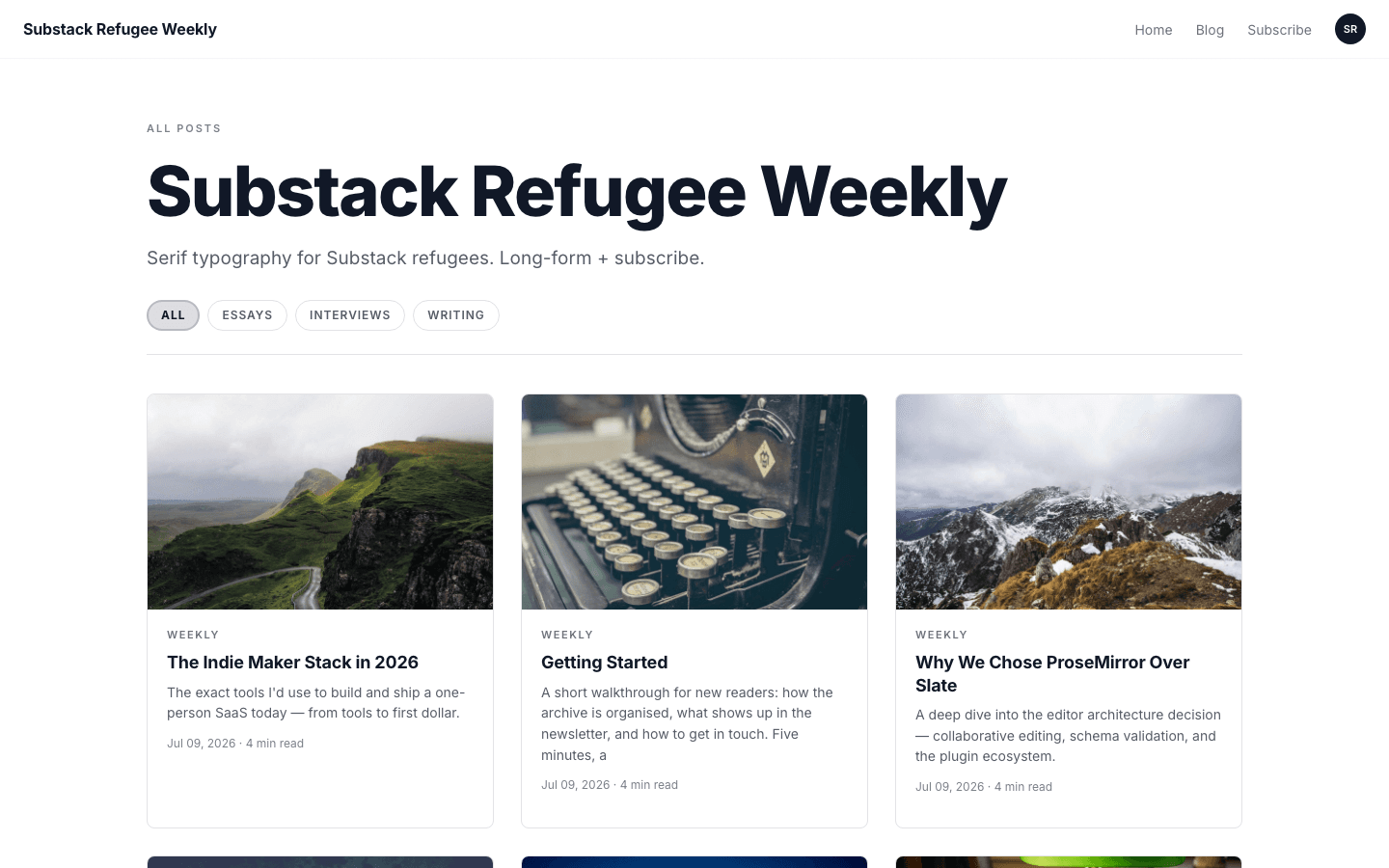
Under the hero, up to six recent posts are listed as issues, each with a date, a first tag and a reading time, followed by a link to the full archive. The blog page adds category pills, a three-column card grid and numbered pagination for older issues.
A closing block with questions and answers
The home page ends with a second, shorter subscribe form (when subscribing is set up) and three short questions: what you will get, how often, and how to unsubscribe. The answers are fixed theme text, so read them against your own schedule before you publish the site.
Posts built for reading
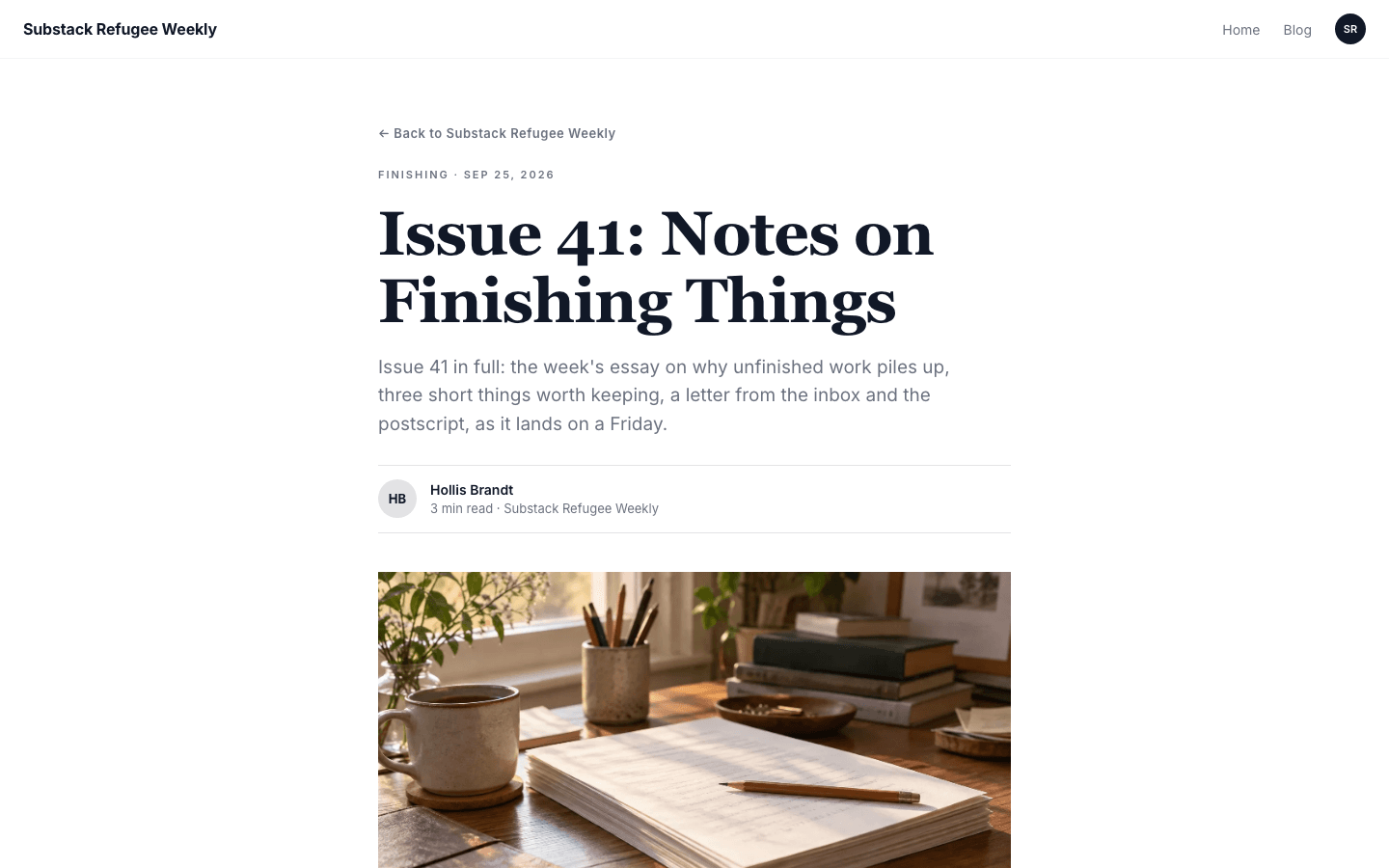
A post shows a back link, a first-tag and date line, a serif headline, the excerpt, a byline with initials, a cover image and the body. Tags, an inline subscribe box when enabled, and a comments section follow, with room for plugin widgets before and after the text.
A simple shop in the same style
If you also sell something, the shop has its own white layout with a search box, category chips and rounded product cards that swap to a hover image when one exists. Product pages show a gallery, price, features, an FAQ list and an out-of-stock label.
Page by page
- Home
- Subscribe hero, recent issues, an about block, and a closing form with three questions.
- Blog
- Category pills, a three-column card grid and numbered pagination.
- Post
- Byline, cover, tags, an inline subscribe box when enabled, and comments.
- Page
- Page-builder content inside the same nav and footer.
- Shop
- Search box, category chips and product cards with hover images.
- Product
- Gallery, price, features, FAQ list and an out-of-stock label.
Customizing it
Newsletter Hub follows your Global Design colours: background, text, the orange accent, the muted tone and the border colour all take what you set under Appearance, once the apply-to-theme switch is on. Fonts are split: your heading font replaces the serif face on headlines, and your body font replaces the sans-serif text. Menus live under Navigation, and the about block reads your blog description.
Honest limits
- It is light only. There is no dark variant and no switch for the visitor's system colour setting.
- The three questions on the home page and the about text shown when your blog description is empty are fixed theme copy with no setting to edit them, and they mention a Sunday or weekly rhythm.
- The shop has search and category chips but no price or in-stock filters.
- The blog listing has category pills and pagination but no search box.
Specifications
- Category
- Newsletter
- Price
- Included
- Plan availability
- Included in every VeloCMS plan
- Commerce-ready
- Yes
- Motion
- No
Good fit for
Frequently asked questions
Does the subscribe form send emails by itself?
No. The form hands the visitor to your subscribe page, and it only shows when membership or a newsletter is set up. Sending issues is handled by the newsletter or membership tools you connect.
Can I change the questions on the home page?
Not from the admin. The three questions and their answers are written into the theme, so check that they match how often you really publish. The about text does follow your blog description.
Does Newsletter Hub have a dark mode?
No. It has one white palette with an orange accent. You can recolour it in Global Design, but there is no dark variant or system-preference switch.
Can I use it for something other than a newsletter?
Yes, any text-first blog works. The subscribe hero is the part to weigh: a site with no subscribe path loses that block and starts straight at the archive.