Terminal
A green-on-black developer blog that reads like a shell session.
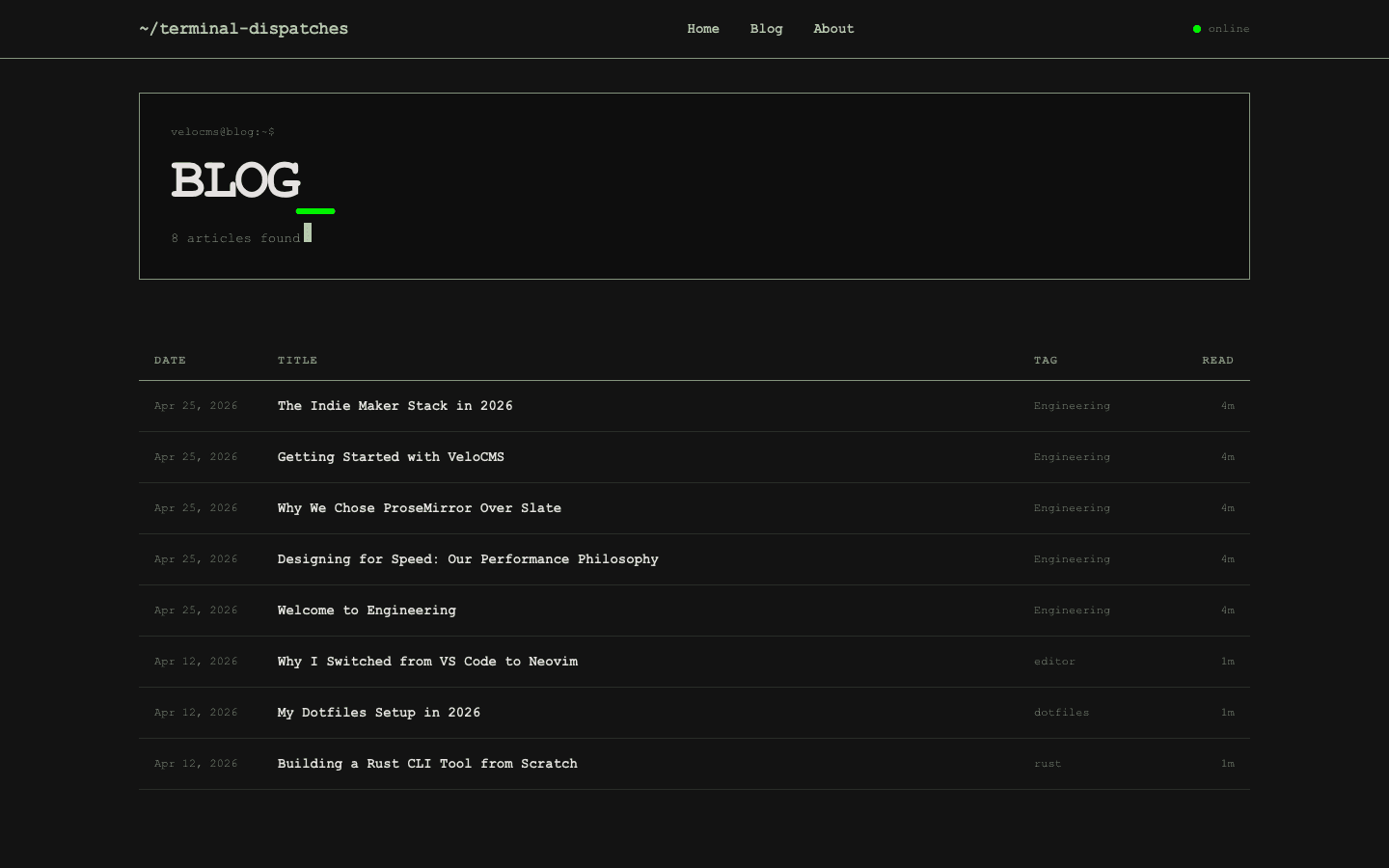
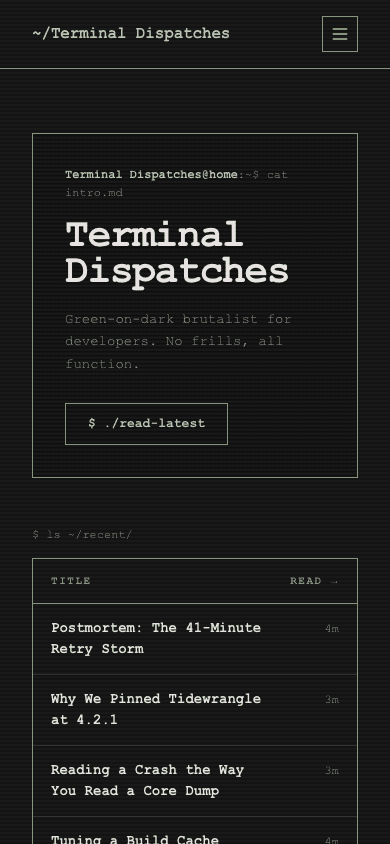
Terminal turns a blog into a shell session. The hero is a prompt, the headline wears a blinking cursor, and recent posts line up in a ledger of dates, titles, tags and read times. Everything is set in monospace on a near-black page with a sage-green accent, and a faint scanline texture runs through the hero block like an old CRT.
Who it's for
This one is for people whose readers live in a terminal. Developers, hackers and indie makers who write about tooling, code and systems get a blog that matches how they work. If you also sell a template pack, a course or a small hardware item, the shop and product pages keep the same prompts and sharp corners. Skip it if your audience expects a soft, image-led design, because the whole look commits to the command-line idea.
What makes it different
A hero that reads like a command
The home hero is a prompt line, then your blog name with a blinking underscore cursor, your description, and a button worded as a command that leads to the blog. A small online pill with a pulsing dot sits in the nav, and the footer signs off with EOF and a cursor of its own.
Recent posts as a ledger
Latest posts are listed under a $ ls ~/recent/ prompt as a table with date, title, first tag and reading time columns, so a long run of posts scans like a directory. An about block follows, and a subscribe block appears below it once signup is set up and switched on.
Posts with room to breathe
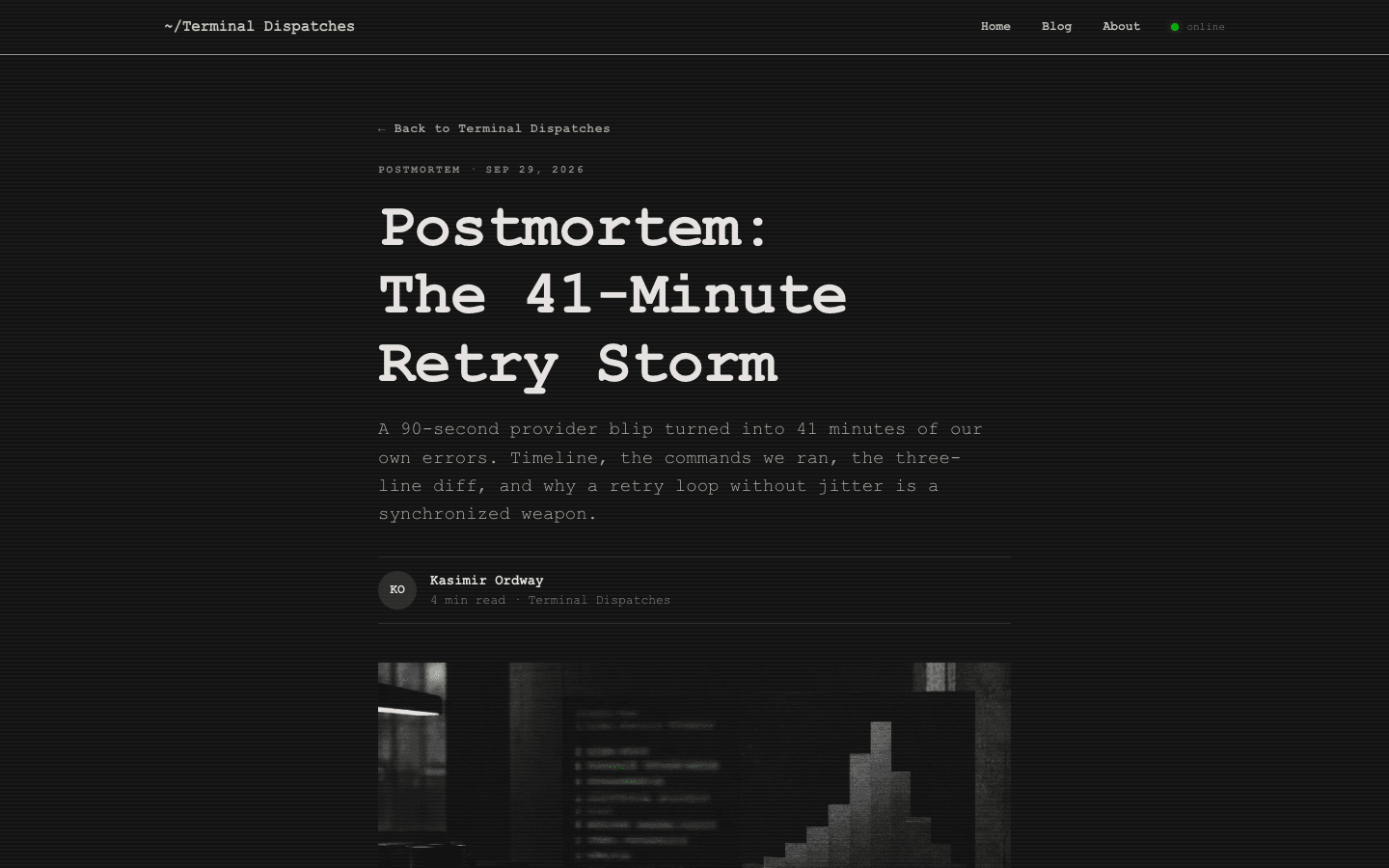
Posts keep the terminal palette but give the text space: a back link, tag and date line, headline, excerpt, byline with initials and a cover image. Tag pills, an inline newsletter box and a comments section follow. The box only appears when a signup path is set up and the subscribe widget setting is on.
A shop framed as a directory
The shop sits under a ls -la ./products/ prompt. Search is a grep prompt, categories are chips under ls --category, and a facet form filters by minimum price, maximum price and in-stock only. Product rows show a thumbnail, title, category and price, and swap to a hover image when one exists.
Product pages in the same voice
Product pages keep the shell metaphor: a gallery, the price, buy buttons, a cat about.md description and an ls --features list. Product questions fold into a [+] and [-] accordion, products with options get a variant picker, and a sold-out item shows an out-of-stock tag instead of buy buttons.
Menus that can nest
Nested menus are supported. Give a menu item children and it opens as a dropdown on desktop and a tree in the mobile drawer, up to three levels deep. With no menu built yet, a new site starts with Home and Blog links, plus Shop when you sell products.
Page by page
- Home
- Prompt hero, ledger of recent posts, an about block, a subscribe block when signup is on, and an EOF footer.
- Blog
- Category pills, a card grid and numbered pagination.
- Post
- Byline, cover, tag pills, a newsletter box when subscribing is on, and comments.
- Page
- Page-builder content inside the same nav and footer.
- Shop
- Directory-style listing with search, category chips and price and stock filters.
- Product
- Gallery, price, description, feature list, FAQ accordion and variant picker.
Customizing it
Terminal takes your Global Design colours: background, text, the green accent, the muted tone and the border colour follow what you set under Appearance, once the apply-to-theme switch is on. Fonts work the same way, with one catch. The theme uses a single font for everything, so a heading or body font you choose replaces the monospace unless you pick another monospace face. Menus live under Navigation.
Honest limits
- It is dark only. There is no light variant and no switch for the visitor's system colour setting.
- The scanline texture, blinking cursor and pulsing status dot are fixed parts of the design with no setting to turn them off, except that the blink and pulse stop when a visitor's system asks for reduced motion. The hero cursor and status dot stay bright green whatever accent colour you pick.
- The blog listing has category pills and pagination but no search box. Search lives in the shop.
Specifications
- Category
- Developer
- Price
- Free
- Plan availability
- Included in every VeloCMS plan
- Commerce-ready
- Yes
- Motion
- No
Good fit for
Frequently asked questions
Does Terminal stay monospace if I change fonts?
Only if you choose a monospace font. Terminal reads one font setting for the whole page, taking your heading font first and your body font second, so any other face replaces the default monospace everywhere.
Does Terminal have a light mode?
No. It has one dark palette and no light variant or system-preference switch. You can change its colours in Global Design, but the look is built around green on near-black.
Can I run a shop on Terminal?
Yes. It has its own shop and product layouts with price and stock filters, hover images, variant pickers and add-to-cart buttons, all dressed as command-line output.
Is Terminal only for developers?
It is built for that audience. Nothing stops another kind of blog using it, but the prompts, the EOF footer and the green-on-black look only work when the command-line idea is part of your brand.