Atelier
A light, rounded blog and storefront in one calm sans-serif.
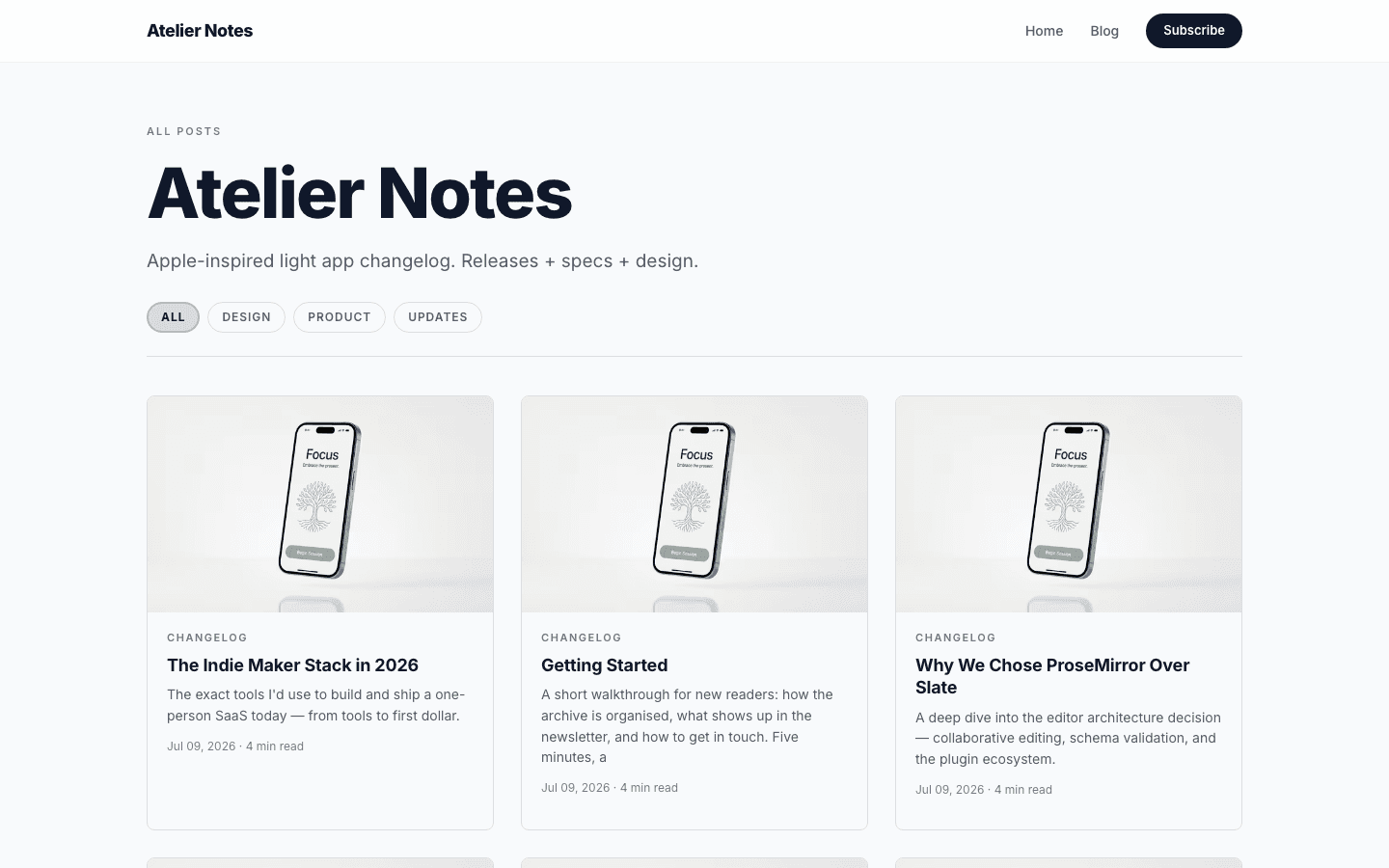
Atelier is a light theme for people who make things and want to show them. It has pale slate surfaces, one sans-serif family, a frosted sticky nav and a big centred headline. It reads as a blog, and when your site sells products the home page leads with the shop instead. It is a free theme.
Who it's for
Indie makers, small agencies and creators who publish notes and ship things. If your site is half writing and half product, Atelier gives both the same quiet look. It suits changelogs, build-in-public journals and studio sites with a small digital shop. It is a poor fit for photo-led portfolios, newspaper-style homepages or anyone who wants a dark palette. The page stays calm on purpose: soft cards, plenty of white space, and your own writing and product images carrying the colour.
What makes it different
A home page that follows what you sell
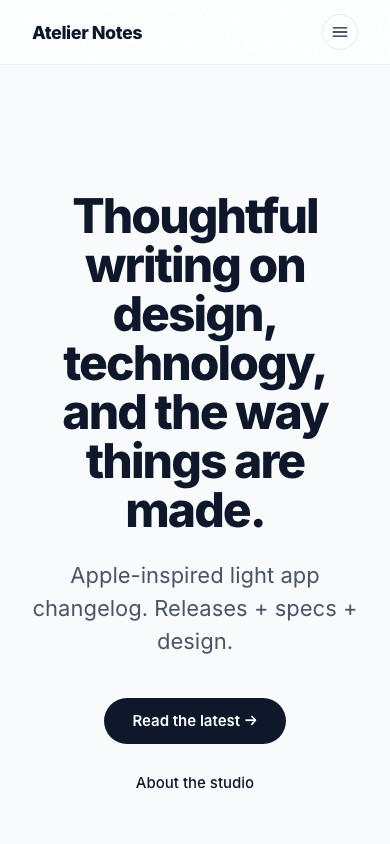
The home page checks whether your site is set up to sell products. If it is, the headline becomes your site name with Shop the collection and Blog buttons. If it is not, you get an editable headline and a Read the latest button, plus an About the studio button when you have an About page. Three featured posts sit below either way.
A shop listing with search and filters
The shop page has its own Atelier layout: a search box, category pills, an in-stock filter with an Apply button, a Clear link once a filter is active, and rounded product cards. If a product has a second gallery image, hovering the card on a mouse-driven device swaps to it.
Dropdowns when your menu needs them
Add child items under a menu entry and the desktop bar turns that entry into a dropdown with an expand control. A flat menu stays a plain row of links, so a simple site does not carry the extra markup.
Subscribe prompts only where they work
The nav button, the mobile drawer row and the newsletter band on the home page all appear only when subscribing is set up on your site (membership, the built-in newsletter or Kit, Beehiiv or Mailchimp) and the Show subscribe widget on blog setting is on. A site that cannot collect emails never shows a form that goes nowhere.
A comfortable reading column
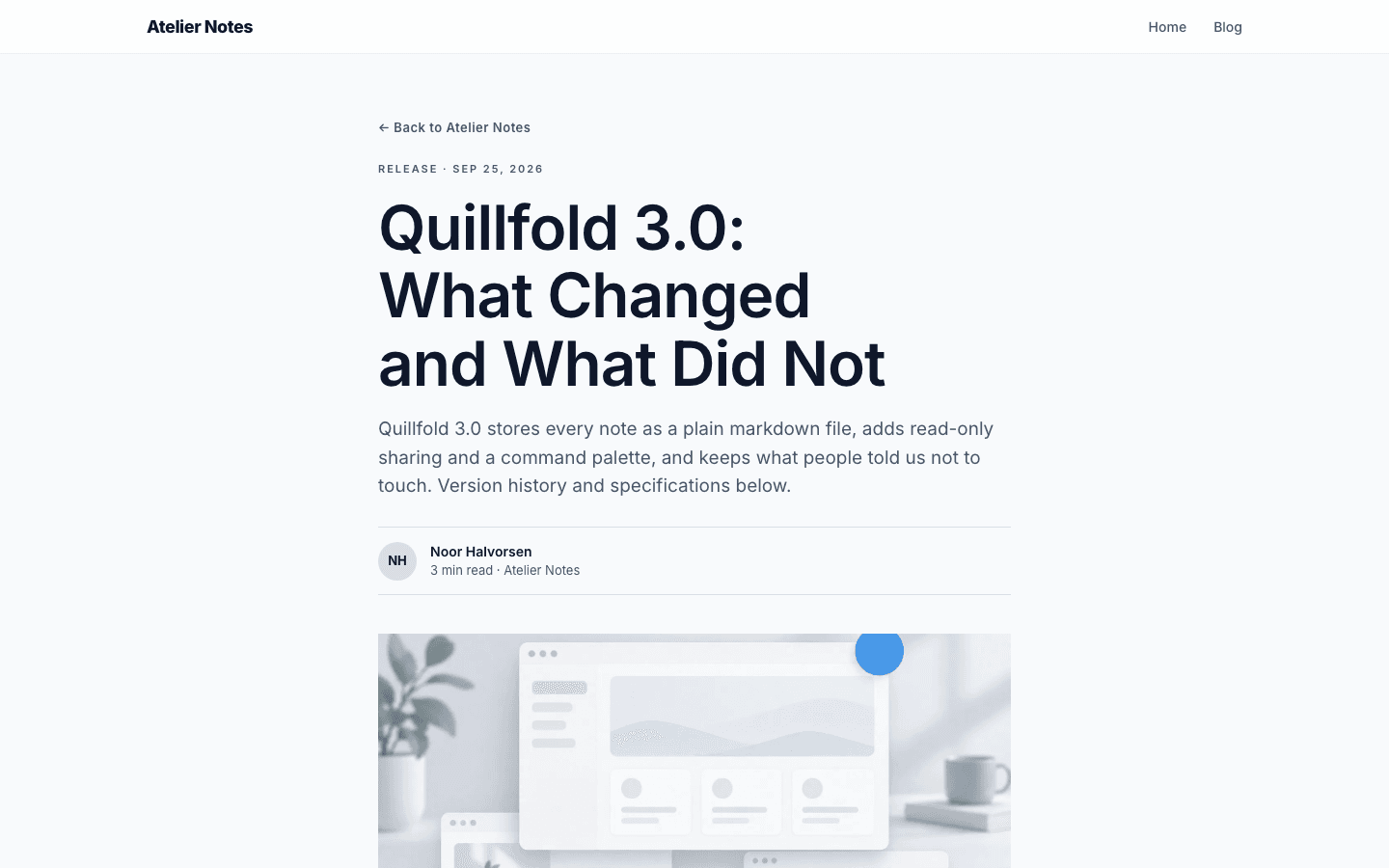
Posts sit in a 720px column at 18px type with a 1.75 line height. Under the title you get a byline with reading time, and under the text come tag pills. Plugin slots before and after the body let a table of contents or author card sit in the page.
Page by page
- Home
- Centred hero, three featured posts, optional newsletter band.
- Blog
- Category filter pills, a three-column card grid and pagination.
- Post
- 720px reading column, byline, tag pills and an inline subscribe card.
- Page
- Page-builder content inside the same nav and footer chrome.
- Shop
- Search, category pills, in-stock filter and rounded product cards.
Customizing it
Colours and fonts follow Admin, Appearance, Global Design once Apply to theme is switched on: the background, text, border and accent colours all read from it. Atelier uses one typeface throughout, so the heading font you pick, or the body font when no heading font is set, drives the whole site. Slate colours and Inter are the fallback when nothing is set. Your site name, logo, description, menu and social links come from your site settings. One piece of home copy, the headline shown when you sell nothing, has its own editable field in theme copy settings.
Honest limits
- Atelier ships a light palette and its stylesheet has no dark variant. Global Design can recolour it, but it is not designed as a dark theme.
- Atelier has no product layout of its own. Product pages use the shared product template (tagline, gallery, feature list, FAQ and buy button) inside Atelier's nav and footer, so only the shop listing is fully themed.
- The home page features three posts. Anything beyond that lives on the blog page.
Specifications
- Category
- Agency
- Price
- Included
- Plan availability
- Included in every VeloCMS plan
- Commerce-ready
- Yes
- Motion
- No
Good fit for
Frequently asked questions
Can I sell products with Atelier?
Yes. The shop listing and cart link are themed, and the add-to-cart button shows once Stripe or PayPal is enabled. Product detail pages use the shared product template inside Atelier's nav and footer rather than a layout of their own.
Does it work for a plain blog with no shop?
Yes. Without products the home page shows an editable headline, a Read the latest button and your newest three posts. The cart link and shop pieces only appear on a site that sells.
Is there a dark mode?
No. Atelier is built on white and slate with no dark variant in its stylesheet. If you want a dark look, Aperture or Restaurant start from dark palettes.
Can I change the fonts and colours?
Yes, once Apply to theme is on in Global Design. It sets the background, text, border and accent colours, and the heading font (or the body font if no heading font is set) drives the single typeface. Without an override Atelier uses Inter and its slate palette.