Brutalist Press
A white, black and cobalt front page for small newsrooms and opinion writers.
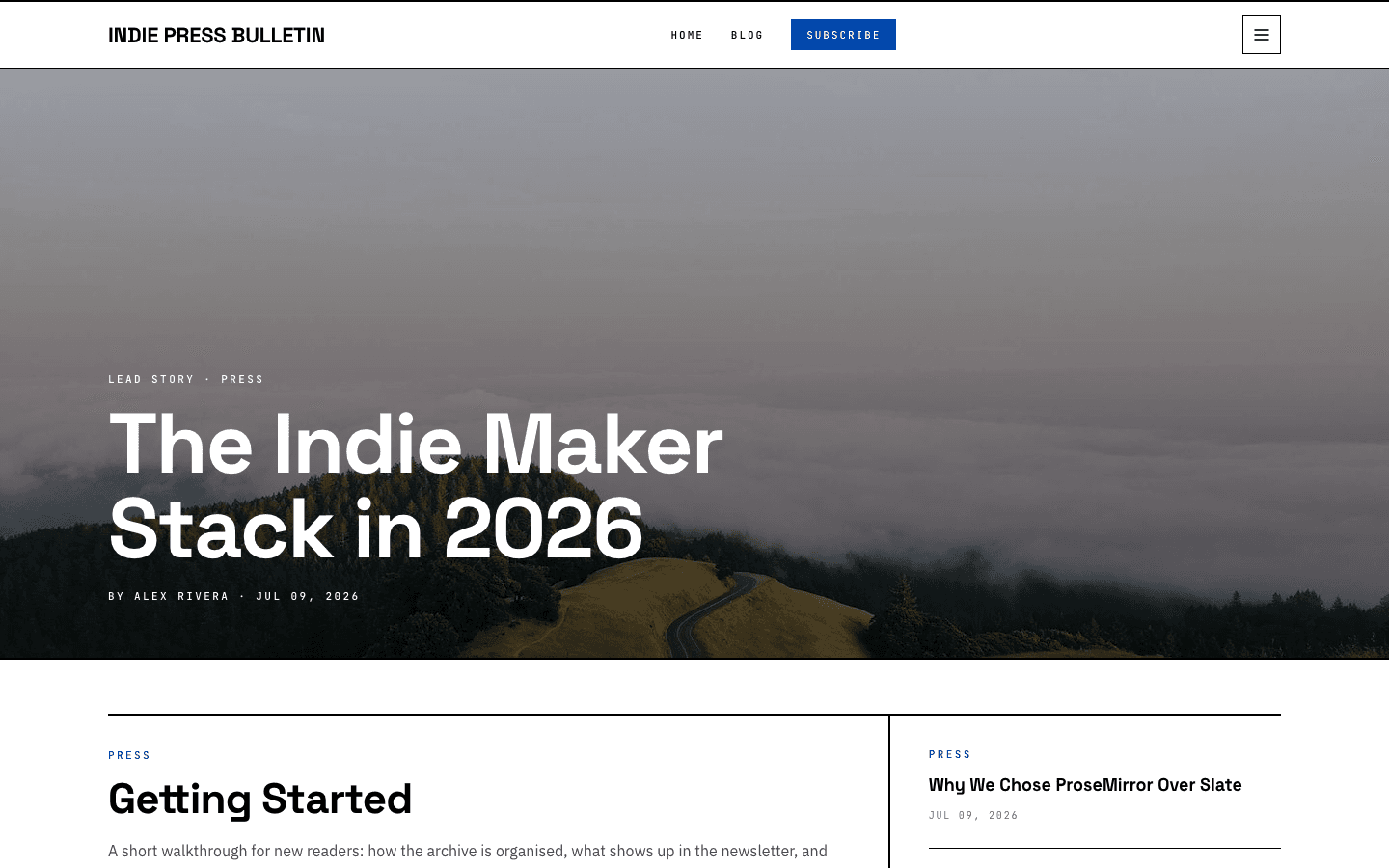
Brutalist Press treats your homepage as a front page. The newest post runs as the lead story across the full width, the next one gets a two-thirds column with its excerpt, and a cobalt band carries a pull quote before the latest stories line up in a grid. Headlines are set in Space Grotesk, datelines and kickers in a monospaced face, all on plain white.
Who it's for
Pick it if you publish like a paper rather than a diary. An independent news site, a commentary column, a zine or a small publication with several bylines will get the most from it, because the homepage rewards a steady flow of stories with tags, authors and cover images. A merch table or a run of printed issues can sit in the shop under the same rules and borders. It suits sites that post often. With five posts or fewer, the Latest Stories row shows placeholder text until more stories arrive.
What makes it different
The lead story fills the top of the page
Your newest post becomes the lead: a mono kicker reading Lead Story plus its first tag, a headline that scales up to 88 pixels, and a byline with author and date. Behind it sits the hero image from your general settings, else the post's own image, else a cobalt-to-black gradient, always under a dark wash so the white type reads.
Nine stories, filed by rank
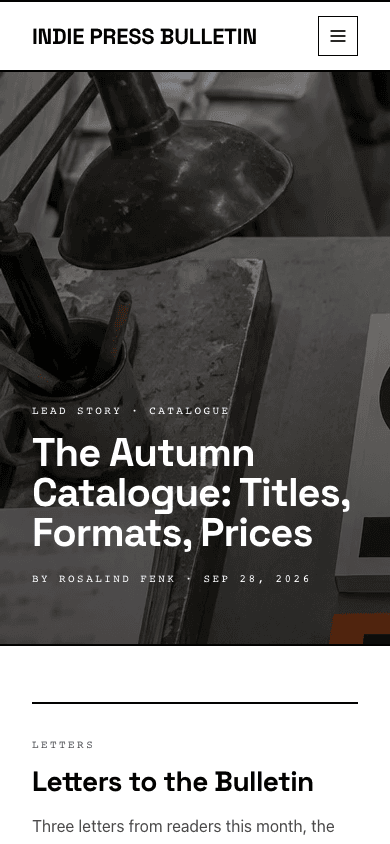
Below the lead, the second post takes a two-thirds column with its excerpt, author, date and read time, while the next three stack in the narrow column beside it, split by thin rules. After the cobalt quote band, four more fill a Latest Stories row that drops to two columns, then one, on smaller screens.
Articles set like a feature page
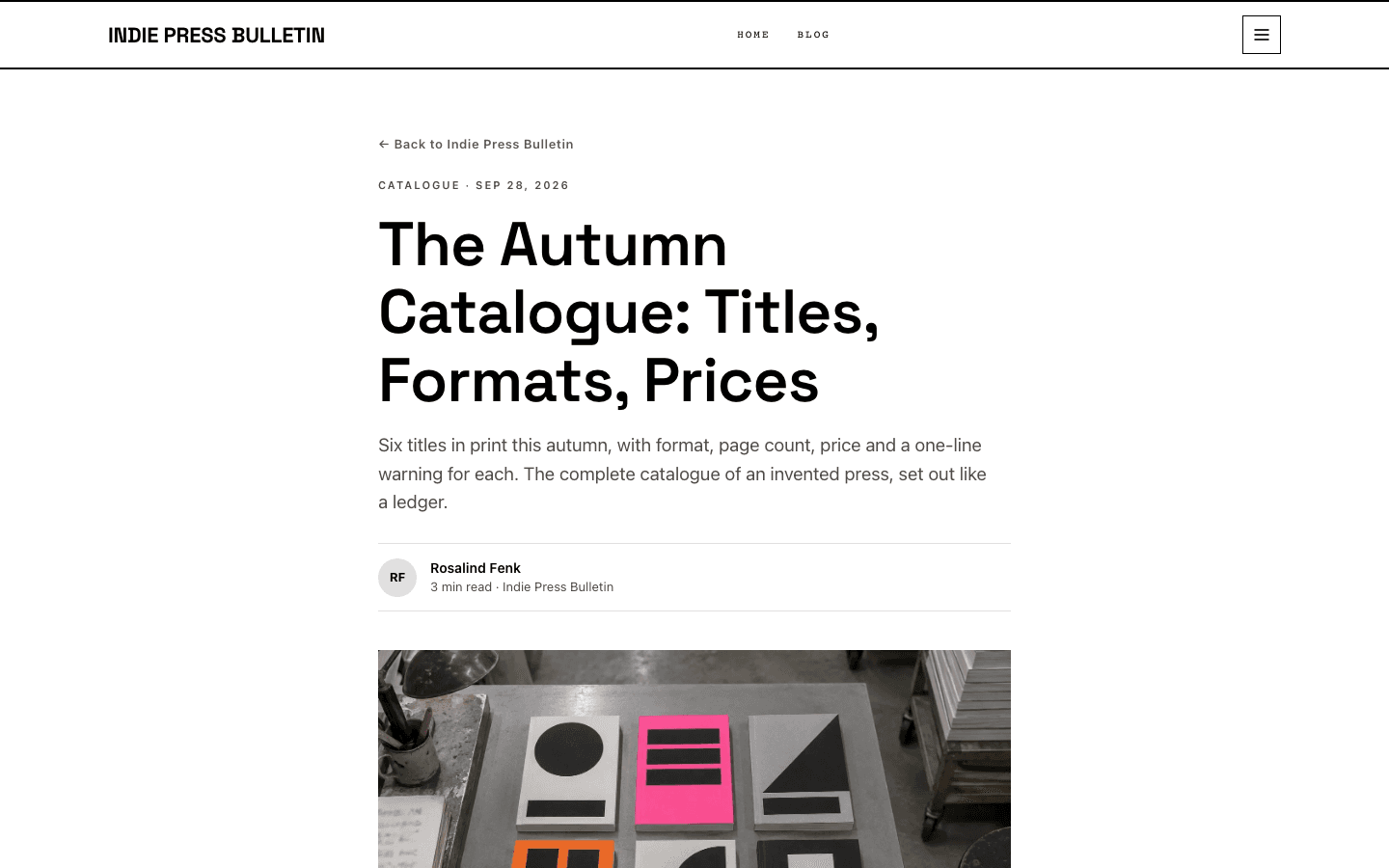
A post opens with a tag-and-date eyebrow, the headline, your excerpt as a standfirst, and a byline with initials and read time. Then comes the cover, or a black and cobalt gradient. Tags, a Keep reading signup box and comments close the article; the box needs a newsletter or membership plus the subscribe widget switched on.
A shop dressed as a run of editions
The shop opens under a Marketplace Edition kicker with a heavy rule. Search, category pills, minimum and maximum price, and an in-stock box filter the grid. Cards sit on light grey inside 2px black frames, with a cobalt category kicker, a second image on hover, and an add-to-cart button for single-option products once payments are connected.
Product pages with a framed buy box
Products get a gallery with thumbnail tabs, an About this product section, an Included list marked with cobalt plus signs, and a question accordion. A bordered buy box stays in view as you scroll, with an Edition kicker, title, tagline, price, add to cart, and Buy Now when Stripe is connected. Sold-out items show an out-of-stock label instead.
Section menus that branch
Menu items with children open as square-cornered dropdowns in mono capitals on desktop. On phones a 320px drawer opens from the side under a Sections kicker, with large uppercase links, indented sub-items, an account row, a cart row, a cobalt subscribe block when signup is available and a small New editions weekly footnote.
Page by page
- Home
- Full-width lead story, a two-thirds and one-third split, the cobalt editor's band, a four-column Latest Stories row and a black footer.
- Blog
- Archive heading with your description, category pills, a three-column card grid and numbered pages.
- Post
- Standfirst, initials byline, cover or gradient, tags, a signup box when the subscribe widget is on, and comments.
- Page
- Eyebrow, headline and standfirst above your page-builder content, in the 720px reading column.
- Shop
- Framed product cards on grey with search, category pills and price and stock filters.
- Product
- Gallery, description, Included list, question accordion and a sticky framed buy box.
Customizing it
Switch on apply-to-theme in Global Design and your palette replaces the press colours: Background, Foreground, Secondary for muted text, Neutral for the border token, and Primary. Primary is the cobalt behind the subscribe button, the editor's band and the hero gradient, and kickers and link hovers use a text-safe version of it. The footer takes your Foreground colour as its background. A heading font you choose replaces Space Grotesk and a body font replaces the default sans-serif body text, but the monospaced datelines are not affected.
Honest limits
- It is light only. The stylesheet defines one white palette and has no dark variant or system colour-scheme rule.
- The quote in the cobalt band is a fixed line supplied by the theme, signed with your blog name, and there is no setting to replace it. Labels such as Lead Story, From the Editor, Marketplace Edition, Included and Buy Now are fixed English text.
- The hard 2px frames belong to the homepage, header, shop and product pages. The blog archive and articles use a softer shared style with rounded cards, pill-shaped filters and tags, and round avatars.
- Some colours ignore Global Design: the hero text stays white, footer links stay grey, shop cards keep their light grey fill, the subscribe button hover stays dark blue, and the no-cover gradient on posts is fixed black and cobalt.
- The blog archive has category pills and pagination but no search box. Search is only in the shop.
Specifications
- Category
- News
- Price
- Included
- Plan availability
- Included in every VeloCMS plan
- Commerce-ready
- Yes
- Motion
- No
Good fit for
Frequently asked questions
Does Brutalist Press have a dark mode?
No. It ships a single white palette and does not react to a visitor's system setting. You can darken the background and lighten the text in Global Design, but a few fixed colours, such as the grey shop cards, will stay as they are.
Can I write my own quote in the cobalt band?
Not at the moment. The band always shows the theme's built-in line under a From the Editor label and credits it to your blog name. You can change the band's colour through the Primary colour, but not its words.
How many posts does the homepage show?
Nine: the lead story, the main brief, three side stories and a row of four latest stories. Older posts are reached through the blog archive, which adds category pills and numbered pagination.
Can I sell things with it?
Yes. It has its own shop and product layouts with filters, hover images and add-to-cart buttons. Buttons appear once a payment method is connected, Buy Now needs Stripe, and products with options open their detail page instead of adding straight from the card.