Mid-Century Modern
Eggshell pages, italic serif headings and atomic-age line drawings for design writers.
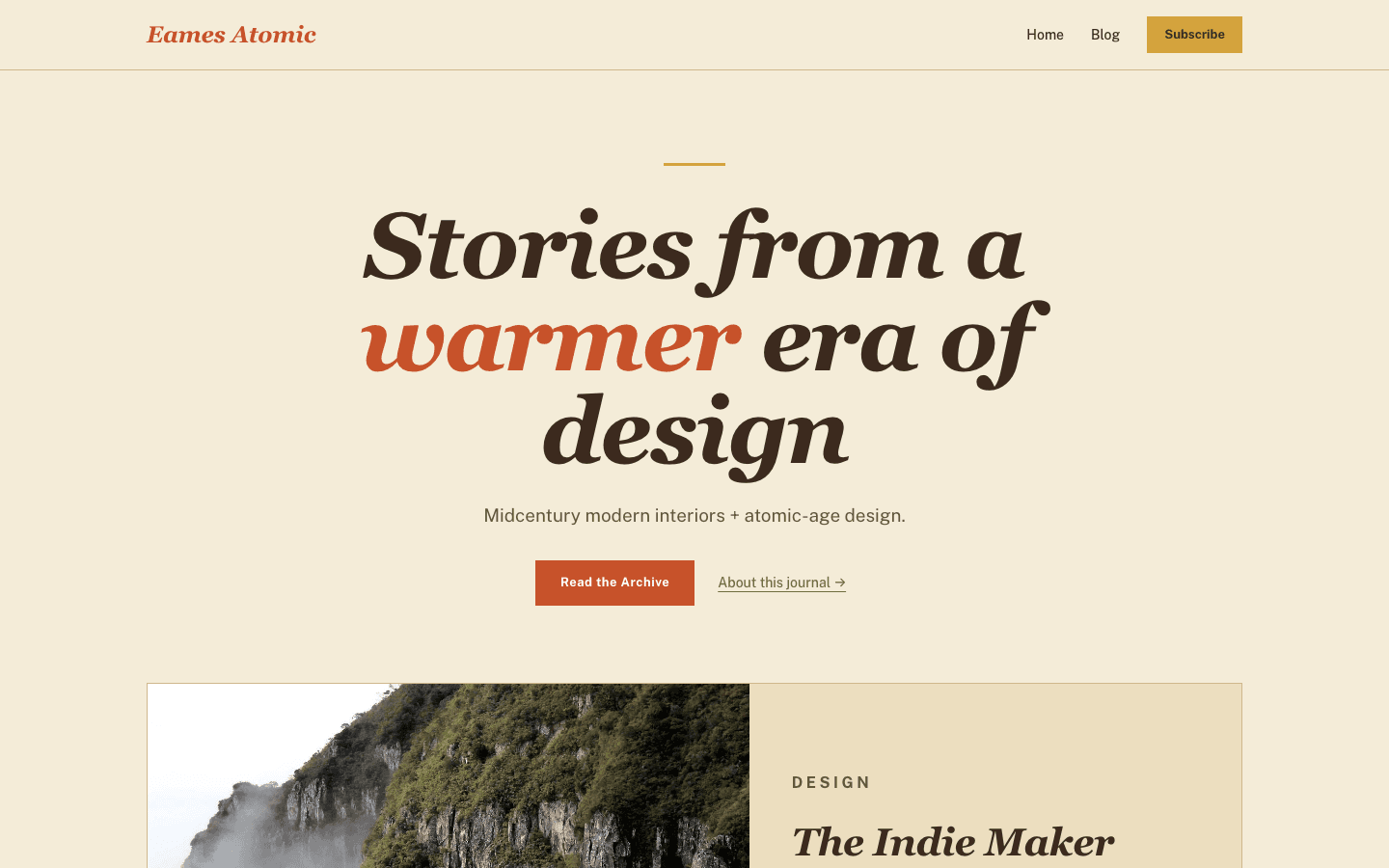
Mid-Century Modern treats a blog like a 1950s design magazine left open on a coffee table. Espresso text sits on an eggshell page, burnt orange and mustard mark anything you can press, and the home page keeps to square corners and one-pixel hairlines. The home page opens with words instead of a photograph, then one featured story, a starburst, and four more posts in pairs.
Who it's for
Its readers are people who write about rooms and the things in them: interior designers, restorers of mid-century furniture, vintage and antique dealers, renovation bloggers, and historians of product design. Because the shop reuses the same square chips, hairlines and mustard buttons, a dealer can list pieces beside the stories behind them. Skip it if you want dark colours, more than five posts on the home page, or a big photograph up top, because the opening screen is set in type only.
What makes it different
A headline set in type, not a photograph
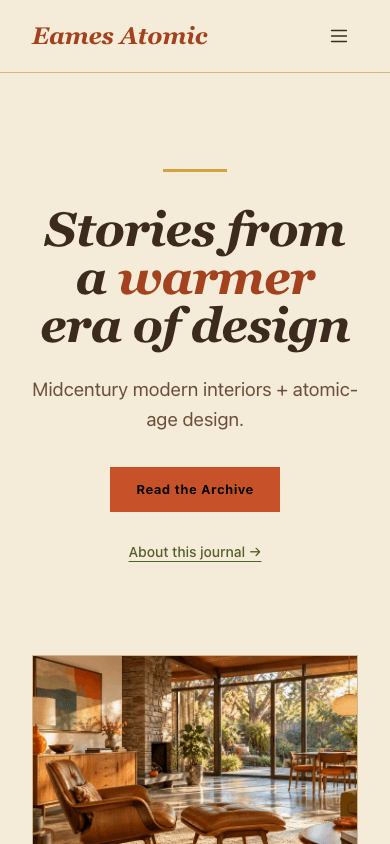
The home page has no hero image. A short mustard bar sits above a centred italic serif headline, Stories from a warmer era of design, with warmer picked out in burnt orange at up to 96px. Your site description runs underneath, then a Read the Archive button and, if you have an About page, an underlined link to it.
One featured story, then four in pairs
The newest post takes a wide card split roughly 55/45 between picture and text, showing its first tag, title, excerpt, date and reading time. The next four pair up on pale teak cards, two per row, whose border turns orange on hover. A grid card without an image gets one of four gradients mixed from the palette.
Ornaments drawn as single strokes
Three line drawings are written into the markup rather than borrowed from an icon set: an eight-ray starburst between olive hairlines after the featured story, a mustard boomerang curve before the footer, and an orbiting-atom figure in the middle of the footer, which comes back larger and faded on the 404 page.
A square Subscribe button and a closing sign-up box
Set up a newsletter or membership and turn on Show subscribe widget on blog, and visitors who are not signed in find a square mustard Subscribe button in the header and a full-width twin in the mobile drawer. Above the comments of every article sits a Keep reading box; its email field signs readers up without leaving the page.
A shop you can narrow down
The shop opens with a mustard rule and an italic title, then search, square category chips that go mustard once picked, low and high price fields and an in-stock tick box. Products sit on pale teak cards with a 4:3 picture, an olive category, an italic name and an orange price, and can crossfade to a second picture on hover.
Each product as a catalogue entry
Title, tagline and an orange price share a bordered panel, with Add to Cart after you connect a payment method and a mustard instant-delivery button when Stripe is on. Underneath: the gallery, 16:9 with its thumbnails, a description box, the ticked What's included list and folding questions and answers.
Page by page
- Home
- Type-only hero with a mustard bar, a featured card, a starburst divider and four posts paired across two columns.
- Blog
- Site name headed by an All Posts eyebrow, pill filters, rounded cards three per row, and page numbers with Next.
- Post
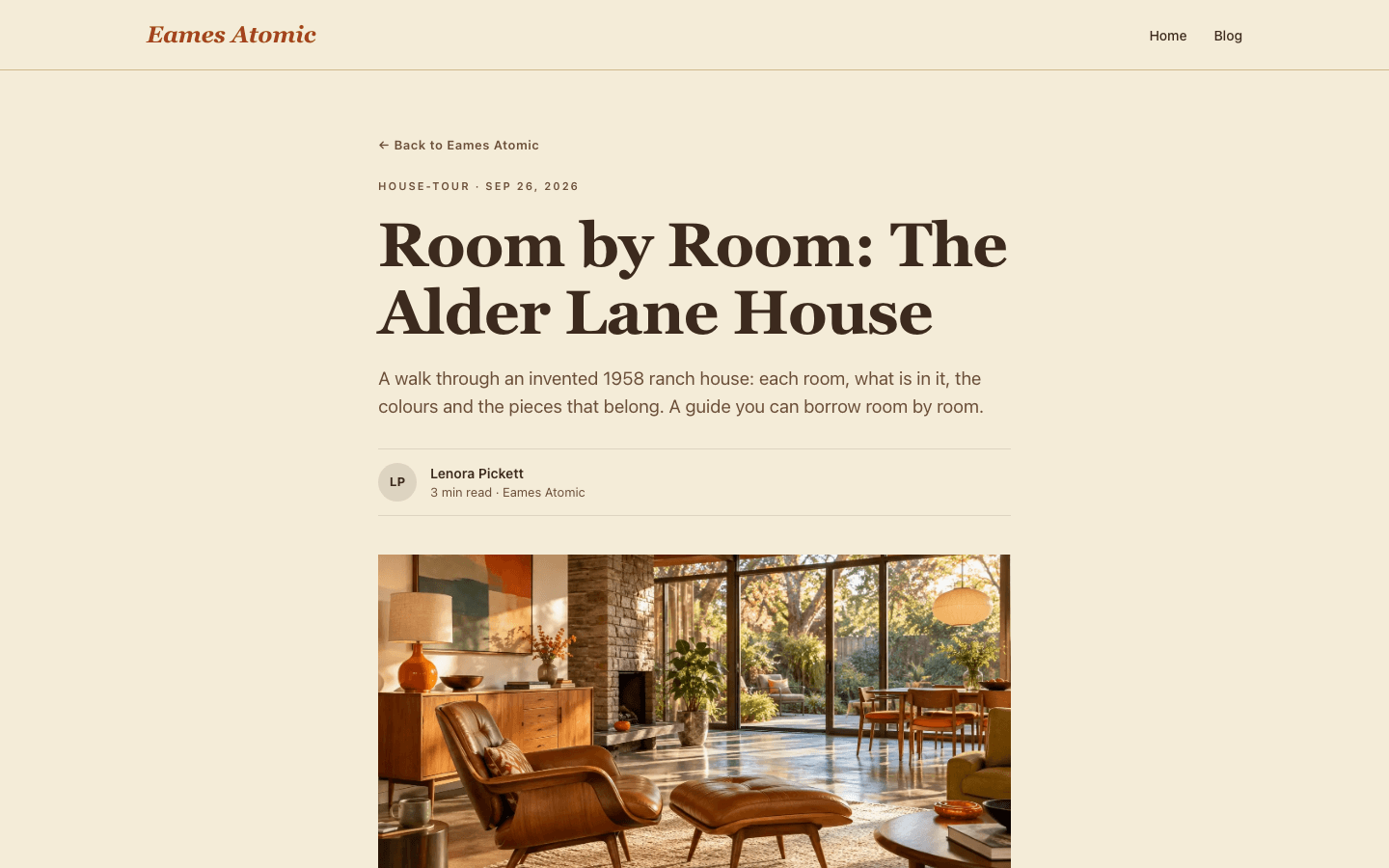
- Tag and date line, serif title, byline in initials, the 16:9 cover, plugin slots and comments.
- Page
- A 720px prose column under its eyebrow, serif title and standfirst, between the shared header and three-part footer.
- Shop
- A search box, filters for price and stock, square category chips and pale teak product cards.
- Product
- Bordered title panel with the price, then gallery and thumbnails, What's included and collapsible FAQs.
Customizing it
Mid-Century Modern hands most of its palette over once Apply my brand to the whole site theme is on (Global Design). Your background replaces eggshell, your text colour replaces espresso, primary takes the burnt orange of buttons, the brand name and the headline accent, and accent takes the mustard bars and buttons. Secondary text, border colour and both fonts follow as well, and the pale teak card and footer fills become a shade of whatever background you pick. Olive, the darker hover shades and the square corners stay as drawn.
Honest limits
- No dark scheme exists, and the visitor's light or dark system setting has no effect.
- Five posts is all the home page holds, one featured and four in the grid, and there is no paging. Its headline is fixed theme text rather than a setting, and the hero never shows an image, even if you have set hero media.
- Several colours ignore your brand: the olive used for section labels, ornaments and shop categories, the darker hover shades, and the cream, orange and teal gradient shown on an article that has no cover image.
- The font stacks name Fraunces for headings and Public Sans for body text, but the theme loads neither, so most visitors see Georgia and their system sans-serif unless you switch on Apply my brand and choose fonts in Global Design.
- Inner pages are looser than the home page: the blog index uses a bold sans-serif title, rounded cards and pill filters. An article's tags are unlinked text, and there is no wishlist button in the shop.
Specifications
- Category
- Interior design
- Price
- Included
- Plan availability
- Included in every VeloCMS plan
- Commerce-ready
- Yes
- Motion
- No
Frequently asked questions
Can I write my own home page headline?
Not from settings. Stories from a warmer era of design is part of the theme's own text. What you control is the line below it, which is your site description; without one, a sample line about houses, designers and chairs appears.
What happens to nested menu items?
On wide screens they appear in a square-cornered eggshell panel under their parent. Narrower than 1024px, a menu button reveals a drawer of up to 320px from the end of the reading line, so it mirrors in Arabic, where nested links are shown open and set in from the edge, an account row, and cart and Subscribe rows when they apply.
Is there any animation?
Not on load or scroll. Links and card borders change colour on hover, blog index cards lift two pixels, and shop cards crossfade to a second image. For visitors who prefer reduced motion at system level, the site's global stylesheet makes all of these changes instant.
Do the sign-in and error pages match the rest?
Yes. The 404 page shows the faded atom drawing, the mustard bar, an italic heading and two links back into the site. The sign-in form sits in a flat pale teak panel under a small The Back Room label, and the subscribe page carries a Join the Archive label.
What does a brand-new site look like?
The shape holds. Until you publish, the featured card shows a mustard gradient and a prompt to write your first post, and the grid shows two placeholder cards in the palette's gradients.