Marquee Nights
A dark stage for performers: one hot-pink light, grayscale photos and a merch table.
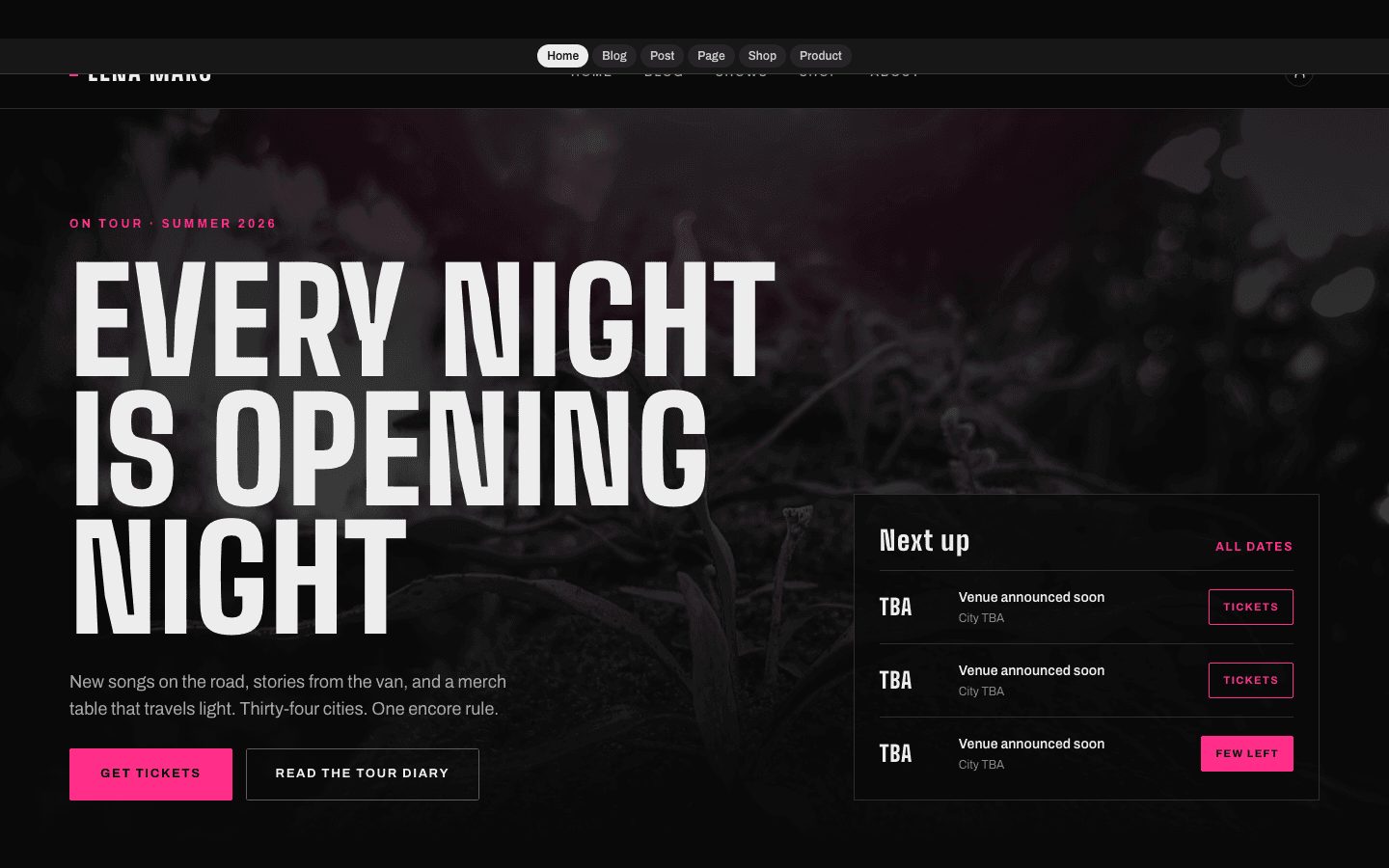
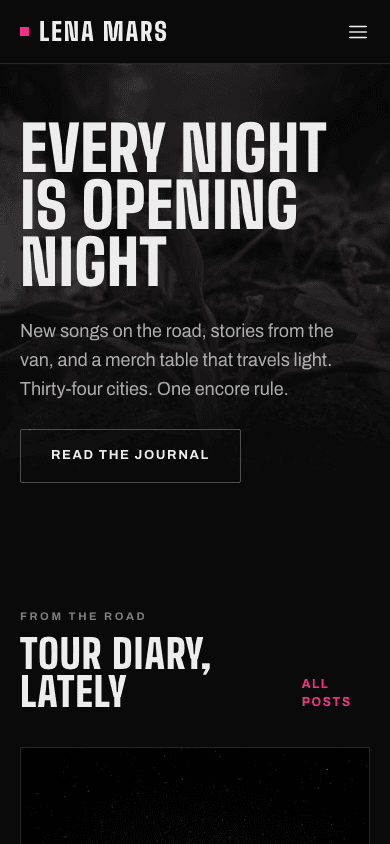
Marquee Nights treats your home page like a gig poster. A full-width stage photograph, turned grayscale and darkened, sits under a slow breathing spotlight of bone and hot pink, with your headline set in tall condensed capitals across it. That single pink is the only colour the theme allows itself: buttons, active links, kickers and card borders carry it, while every photograph on the site stays black and white.
Who it's for
It is built for people who tour: bands and solo musicians, stand-up comics, magicians and other live acts who keep a road diary and sell records, prints or shirts between shows. Out of the box the wording speaks as a touring musician would, with lines such as Tour diary, From the road and Join the Tour, and much of it can be rewritten for a comedy run or a magic residency. A performer who wants a bright site, colour photography or a built-in gig calendar should look elsewhere, because none of those are part of this theme.
What makes it different
A spotlit poster hero
Your hero image comes first; failing that, your latest post's image; failing both, a near-black gradient. A radial spotlight brightens and dims on a seven-second cycle, while the headline, intro and buttons slide up 14 pixels as the page loads, with no fade, so nothing is hidden on the first frame.
An optional ambient loop
A clip address pasted into Hero media, in its Scroll journey field, gives you a muted, looping grayscale video with a slow 14-second zoom, two drifting glows and an Ambient Loop badge with a pulsing pink dot. Under reduced motion the video is hidden, and the hero keeps its dark backdrop and spotlight but loses the photograph.
One pink, everything else in grayscale
Post thumbnails, product photos, images inside articles and even the round byline image, cropped from the post's cover, are filtered to black and white. Against that, hot pink marks only what matters: the active menu underline, filled buttons, tag kickers, quotation marks and the border a card gains when it lifts on hover.
A tour diary in tall capitals
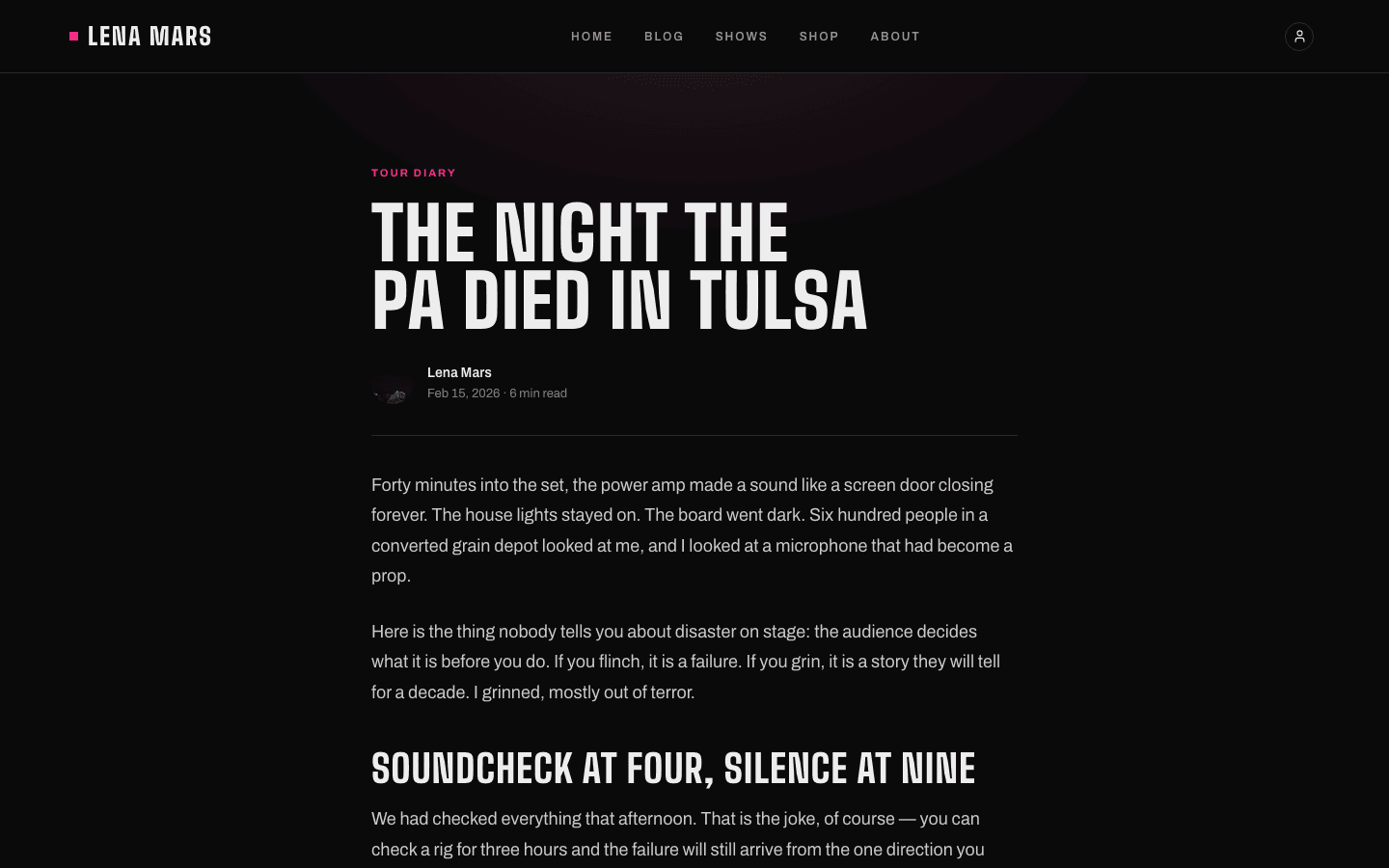
On the blog, an All pill and up to eight category pills head cards set three per row, each with a first-tag kicker, an excerpt trimmed to 120 characters, the date and reading time. Articles run in a 65-character column with uppercase display subheads, oversized pink quotation marks, monospaced code blocks, linked tag pills and comments.
A merch table for records and shirts
The shop is a masthead and a grid: square grayscale product photos in rows of three on a desktop, two on a phone, with the name, category when set, and price under each. Cards lift on hover and can swap to a second image. Connect Stripe or PayPal and every product without variants gains an add-to-cart button.
The list, for presale news
Two things must be true: a newsletter or membership exists, and the Show subscribe widget on blog toggle is on. Then a pink Subscribe button joins the hero and the mobile menu, and each article closes with a Get the diary first panel and an email field, whose submit button leads to your subscribe page. Otherwise none of these appear.
Page by page
- Home
- Poster hero with a breathing spotlight, an optional muted video, and a From the road strip of your three latest posts.
- Blog
- Tour diary masthead, an All pill with up to eight category pills, cards three to a row, then page numbers.
- Post
- Tag kicker, display title, byline with a round grayscale crop of the cover, prose held to 65 characters a line, tag pills, comments and an optional subscribe panel.
- Page
- Under a soft spotlight: an eyebrow, a large uppercase title and, if given, a description, over the 65-character prose column.
- Shop
- Masthead with shorter copy on phones, then square grayscale product cards with a hover lift, and add-to-cart when Stripe or PayPal is linked.
- Product
- Grayscale gallery with up to four thumbnails, breadcrumb, price, description, add-to-cart via Stripe or PayPal, and buy-now via Stripe alone.
Customizing it
In Global Design, Apply my brand to the whole site theme replaces the near-black background, the bright bone of headings and prices, and the hot pink used for buttons, links, underlines, selected pills and focus outlines. Your secondary colour goes to dates and small labels; display and body fonts follow yours. The neutral colour goes unused, and card surfaces, hairline borders, dimmed body-copy greys, the lighter pink hover shade, the pink glow in spotlights and card shadows, and the monospaced face stay fixed. A logo replaces the wordmark, and the Theme Copy panel rewrites eighteen lines in English and Arabic.
Honest limits
- Marquee Nights is dark, full stop: no light variant, and a visitor's light-mode system setting changes nothing.
- Every photograph is shown in grayscale: hero, cards, product gallery, images in articles and the round byline image. There is no switch to keep colour.
- There is no tour-date or show list. The home page holds the hero and your three latest posts and nothing else, so ticket links have to live in your menu or in posts.
- On articles the Previous and Next row shows labels only, without links to neighbouring posts. Past five pages, blog pagination shows only 1, 2, 3 and the last page plus a Next button, and there is never a Previous button.
- The social row closing the mobile drawer is fixed placeholder text, Bandcamp, Instagram and YouTube, that does not link to your profiles; those appear only in the footer's Follow column. On desktop the header has no cart link; the cart row lives in the mobile drawer.
- Only a reduced-motion preference set on the visitor's device stops the animation; the page itself offers no toggle. The shop listing has no search, category pills or wishlist buttons.
Specifications
- Category
- Animation
- Price
- Included
- Plan availability
- Included in every VeloCMS plan
- Commerce-ready
- Yes
- Motion
- Yes
Good fit for
Frequently asked questions
Can Marquee Nights list my tour dates?
Not today. The original design had a Next Up card of upcoming shows, but nothing supplies tour dates, so the theme never draws it. Link a ticketing page from your menu or announce dates in a diary post.
Can visitors switch the animation off?
Only through their system's reduced-motion setting. With it on, the spotlight stops breathing, the load-in rise and hover transitions become instant, and the hero video disappears, so what remains is the dark backdrop and spotlight rather than a photograph.
Does it suit a comedian or a magician?
Yes, once the wording changes. Theme Copy lets you replace the From the road label, the Tour diary headline, the subscribe panel text, the shop masthead and the members-area eyebrows. The hero replaces its default line with your site name and description as soon as a description is saved.
How do sub-menus look?
On desktop, child items open in a sharp-cornered panel; in the mobile drawer they are listed open from the start, set in under their parent, in the same tall capitals as the top-level links.
What does a missing page look like?
The 404 page prints the error code inside a grey, outlined ticket-style chip, under a large uppercase heading, with a pink button back home and an outlined button to browse.